How Far Should a Baby Monitor Be From the Crib? A Complete Safe Placement Guide
How far should a baby monitor be from the crib is one of the most common questions new parents ask after setting up a nursery.
Many parents focus on getting the perfect camera angle while overlooking something far more important safe placement. A monitor that’s too close can create unnecessary hazards, while one that’s too far away may fail to provide a clear view when you need it most.
Whether you’ve purchased your first Wi-Fi monitor, a dedicated video monitor, or a smart camera with AI features, positioning it correctly is just as important as choosing the monitor itself.
This guide explains how far a baby monitor should be from the crib, why that distance matters, common installation mistakes, and practical tips for creating the safest monitoring setup possible.
By the end of this article, you’ll know exactly where your monitor belongs and where it definitely doesn’t.
Quick Answer
If you’re looking for the short answer:
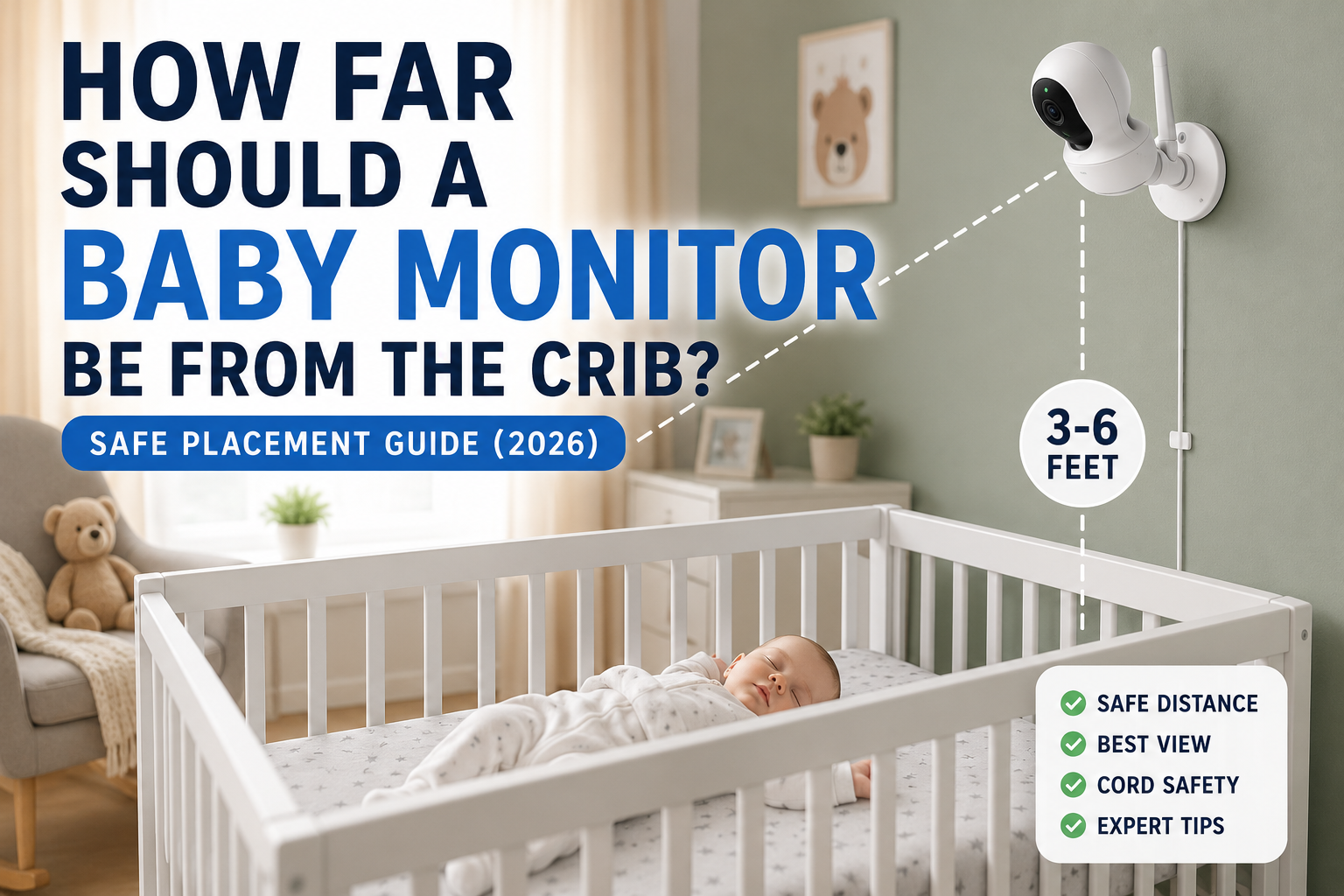
Most baby monitors should be installed approximately 3 to 6 feet (1 to 2 meters) away from the crib and positioned high enough that all cords remain completely out of your baby’s reach.
The camera should provide a full view of the sleeping area without being attached directly to the crib or hanging overhead in a way that could fall or allow a child to grab cables.
Every nursery is different, but these principles remain consistent:
- Keep cords at least several feet away from the crib.
- Mount the camera securely whenever possible.
- Never place the monitor inside the crib.
- Avoid resting cameras on shelves where they could be knocked over.
- Aim for a full-body view instead of placing the camera directly above your baby’s face.
While manufacturers may provide slightly different recommendations depending on the model, safe placement practices are remarkably consistent across brands.
Why Distance Actually Matters
Many parents assume that a closer camera automatically means better monitoring.
In reality, placing a monitor too close often creates more problems than it solves.
The ideal distance balances four important factors:
1. Safety Comes First
The biggest concern isn’t image quality it’s preventing access to cords, cables, or unsecured equipment.
As babies grow, they become surprisingly capable of standing, climbing, and reaching objects that once seemed safely out of range.
Even a cable that appears harmless today could become accessible in just a few months.
For this reason, organizations focused on safe sleep consistently recommend keeping all cords and hanging objects well away from the sleep space.
2. Better Camera Coverage
Ironically, cameras placed extremely close usually provide a worse viewing experience.
Instead of seeing your baby’s entire sleep environment, you’ll often capture only part of the crib.
A wider viewing angle makes it easier to notice:
- unusual sleeping positions
- loose blankets
- dropped pacifiers
- movement throughout the crib
- whether your baby has rolled over
Most modern cameras include wide-angle lenses specifically designed to work from several feet away.
3. Improved Night Vision
Infrared night vision performs best when there is enough distance between the LEDs and the sleeping area.
When a camera sits too close to the crib, reflective surfaces such as white sheets, sleep sacks, or light-colored pajamas can create glare that actually reduces image clarity.
A moderate distance often produces a sharper nighttime image.
4. More Accurate Motion Detection
Many smart monitors use AI or motion detection to recognize movement.
If the camera is mounted too close, small movements can fill the frame and sometimes trigger unnecessary alerts.
A wider field of view generally allows the software to interpret motion more accurately.
How Far Should a Baby Monitor Be From the Crib?
For most nurseries, the safest setup follows a simple formula.
Mount the monitor:
- approximately 3–6 feet from the crib
- about 6–8 feet above the floor
- angled downward at roughly 30–45 degrees
- with every cable completely inaccessible to the baby
This position usually provides:
- a complete crib view
- better night vision
- improved audio pickup
- fewer blind spots
- reduced safety risks
If wall mounting isn’t possible, placing the monitor on a sturdy dresser across the room is generally safer than positioning it on a shelf directly above the crib.
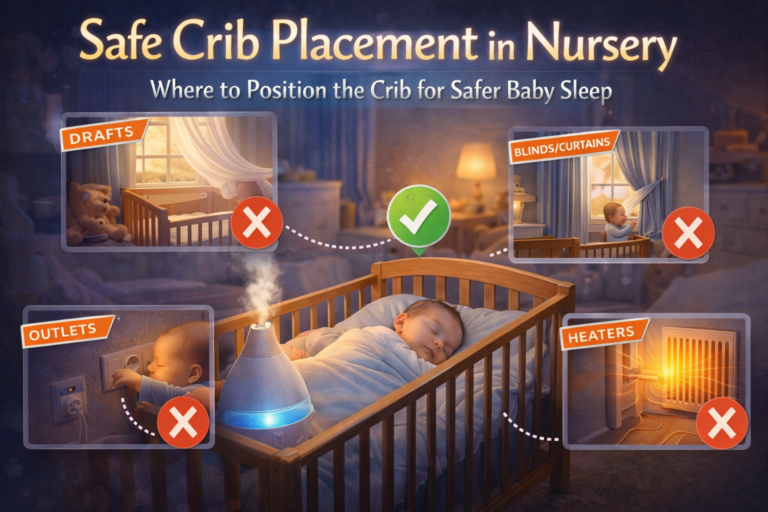
The key is ensuring that the camera cannot fall into the sleep area and that no cords can be pulled into the crib.
Does the Type of Baby Monitor Change the Distance?
Although the recommended placement remains similar, different monitor types have slightly different strengths.
| Monitor Type | Recommended Distance | Notes |
|---|---|---|
| Wi-Fi monitor | 3–6 ft | Best for wide coverage and smartphone viewing. |
| Non-Wi-Fi video monitor | 3–6 ft | Stable placement with fewer connectivity concerns. |
| PTZ (Pan-Tilt-Zoom) monitor | 4–6 ft | Wider distance allows the camera to pan effectively. |
| Smart AI monitor | 3–5 ft | Provides better movement tracking with a wider field of view. |
| Audio-only monitor | Anywhere outside the crib | Prioritize cord safety over positioning. |
One mistake parents often make is assuming expensive monitors require unique placement. In reality, nearly all modern models benefit from the same basic positioning principles.
Common Baby Monitor Placement Mistakes
Even parents who carefully baby-proof the nursery can unintentionally place a monitor in a way that creates unnecessary risks. Fortunately, these mistakes are easy to avoid once you know what to look for.
Placing the Camera Inside the Crib
This may sound obvious, but it’s more common than many people realize.
Some parents temporarily place the camera inside the crib while testing the view and forget to move it afterward. Others use portable monitors during travel and simply set the camera on the mattress or along the crib rails.
A baby monitor should never be placed inside the sleeping area.
Even lightweight devices can become hazards if they shift, fall, or are grabbed by a curious child.
Hanging Cords Too Close to the Crib
Power cords deserve special attention.
As babies grow, they quickly develop the ability to roll, crawl, stand, and eventually pull themselves upward. A cable that appears completely out of reach today may become accessible much sooner than expected.
Instead of relying on estimates, route cables completely away from the crib whenever possible.
Good practices include:
- using cable raceways attached to the wall
- securing excess cable behind furniture
- avoiding loose loops
- keeping chargers hidden behind dressers or cabinets
If you can see a cable from inside the crib, consider whether your child may eventually be able to reach it.
Mounting Directly Above the Crib
A ceiling-style view may look impressive in advertisements, but it isn’t always the safest choice.
Any object installed above a sleeping infant should be mounted extremely securely. Even then, parents should periodically inspect screws, brackets, adhesive mounts, and shelves to ensure nothing has loosened over time.
Whenever possible, positioning the camera slightly off-center provides nearly the same viewing angle while reducing the chance that an object could fall directly into the crib.
Using Adhesive Mounts Without Checking Them
Stick-on mounts are convenient, but adhesives naturally weaken over time.
Heat, humidity, textured paint, and repeated adjustments can all reduce their holding strength.
If you use an adhesive mount:
- inspect it regularly
- replace worn adhesive pads
- avoid mounting on dusty or textured walls
- never assume the original installation will remain secure indefinitely
Mechanical wall anchors generally provide a more permanent solution.
Prioritizing the Perfect View Over Safety
Parents often spend considerable time adjusting the camera to capture every corner of the mattress.
A perfect camera angle isn’t worth compromising safety.
If improving the view means moving cords closer to the crib or placing equipment in an unstable location, it’s better to accept a slightly less dramatic angle.
Remember:
A baby monitor is meant to help you supervise your child—not to function like a professional security camera.
Wall Mount vs. Shelf Placement
One of the most common questions parents ask is whether they should mount the camera on a wall or simply place it on nearby furniture.
The answer depends on your nursery, but each option has advantages and disadvantages.
Wall Mounting
Wall mounting is generally considered the best long-term solution.
Advantages include:
- keeps cords easier to manage
- provides a consistent viewing angle
- prevents accidental bumps
- reduces the chance of the monitor being moved
- creates a cleaner nursery appearance
Potential downsides include:
- requires drilling in many cases
- takes more time to install
- may be harder to reposition later
Placing the Monitor on Furniture
Using a dresser or bookshelf can work well if the furniture is sturdy and positioned correctly.
Benefits include:
- easy installation
- simple to reposition
- ideal for renters
- no holes in the wall
However, avoid placing the monitor on:
- unstable shelves
- stacked boxes
- lightweight storage bins
- furniture that children can climb
- surfaces near curtains or blind cords
A stable dresser several feet from the crib is often an excellent compromise.
What About Radiation?
This is one of the most searched questions about baby monitors.
Many parents wonder whether the camera should be placed farther away to reduce exposure to radiofrequency (RF) signals.
Current evidence does not show that properly manufactured consumer baby monitors pose a known health risk when used as intended.
That said, there are still sensible practices parents can follow:
- avoid placing transmitting devices directly next to your baby’s head
- follow the manufacturer’s installation instructions
- maintain a reasonable distance rather than positioning the monitor inches from the crib
- use power-saving or VOX modes when appropriate
Keeping the monitor several feet away naturally aligns with both safety recommendations and good nursery design.
Does Zoom Replace Proper Placement?
Not really.
Parents sometimes move the camera farther away simply because it has digital zoom.
While zoom can improve visibility, it cannot compensate for poor positioning.
For example:
A monitor placed in the opposite corner of a large room may technically zoom close enough to see the baby, but image quality, night vision, and motion detection may all suffer.
Instead of relying on zoom, aim to place the camera in an optimal location from the start.
Think of zoom as a convenience not a replacement for good placement.
When Should You Reevaluate the Camera Position?
The best monitor location today may not be the safest location six months from now.
As your baby develops, it’s worth reassessing the setup during major milestones.
Around 4–6 Months
Many babies begin rolling consistently.
Double-check that cords remain well away from the crib and that the monitor still provides a complete view.
Around 6–9 Months
Babies become much more mobile.
They may start sitting independently, crawling, or pulling themselves upward.
Now is an excellent time to verify that nothing mounted nearby has become reachable.
Around 9–12 Months
Standing babies are surprisingly tall.
Many parents discover that cables previously considered safe are suddenly within reach.
Inspect:
- cable routing
- furniture placement
- wall mounts
- shelves
- charging cables
Even a small adjustment can significantly improve safety.
Expert Tips for the Best Camera View
If you’re installing a baby monitor for the first time, these simple techniques can make a noticeable difference.
Aim for a Diagonal Angle
Instead of pointing the camera straight down, angle it slightly across the crib.
This often provides:
- better depth perception
- fewer blind spots
- improved visibility if your baby rolls
Test the View at Night
Many nurseries look completely different after dark.
Before relying on the monitor overnight:
- turn off the lights
- check infrared performance
- look for reflections
- confirm the entire crib remains visible
Making adjustments during the day doesn’t always guarantee good nighttime visibility.
Leave Room for Growth
Infants don’t stay in one place for long.
Rather than centering the frame on a newborn’s sleeping position, leave enough room to accommodate movement as your child grows.
A wider view today usually means fewer adjustments later.
Clean the Camera Lens
Dust accumulates faster than most parents expect.
A soft microfiber cloth used occasionally can noticeably improve image quality, especially in infrared mode.
Review the Setup Every Few Months
Furniture moves.
Decor changes.
Babies grow.
Taking just a few minutes every few months to inspect your monitor setup helps ensure it continues to provide both a clear view and a safe environment.
Frequently Asked Questions
Can a Baby Monitor Be Too Close to the Crib?
Yes.
While there isn’t a single mandatory distance that applies to every model, placing a baby monitor extremely close to the crib can create several problems. Cords may become accessible as your child grows, the camera’s field of view becomes limited, and infrared night vision can produce glare instead of a clear image.
In most nurseries, positioning the monitor 3 to 6 feet (1 to 2 meters) from the crib offers a good balance between safety and visibility.
Can I Mount a Baby Monitor Above the Crib?
You can, but only if it is mounted securely and all cords remain completely out of your child’s reach.
Many parents prefer mounting the camera slightly to one side rather than directly overhead. This still provides an excellent viewing angle while reducing the risk of anything falling into the crib if the mount ever loosens.
Is It Safe to Put a Baby Monitor on a Shelf?
Yes, provided the shelf is stable and cannot be reached by your child.
Avoid placing the monitor on lightweight floating shelves, unstable furniture, or surfaces where vibration or accidental bumps could cause it to fall.
How High Should a Baby Monitor Be Mounted?
A height of approximately 6 to 8 feet (1.8 to 2.4 meters) above the floor works well for most nurseries.
This position usually provides:
- a full view of the crib
- better night vision
- fewer blind spots
- improved motion detection
Can My Baby Reach the Monitor Later?
That’s exactly why parents should review their setup regularly.
A location that is completely safe for a newborn may become accessible once a baby begins standing, climbing, or reaching over the crib rails.
If your child can pull up independently, it’s time to inspect the monitor placement again.
Does a Wi-Fi Baby Monitor Need Different Placement?
Not usually.
Whether your monitor connects through Wi-Fi or uses a dedicated parent unit, the same safety principles apply:
- keep cords away from the crib
- mount the camera securely
- maintain a clear view
- avoid placing the device inside the sleeping area
Network technology doesn’t change basic nursery safety.
Does Digital Zoom Affect Where I Should Place the Camera?
No.
Zoom is helpful for checking details, but it shouldn’t replace proper positioning.
It’s better to install the monitor where it naturally captures the entire crib than to rely on zoom from across the room.
Should I Move the Monitor as My Baby Gets Older?
Possibly.
Many parents never think about the monitor again after installation, but babies grow quickly.
Consider reviewing the placement whenever your child begins:
- rolling
- sitting independently
- crawling
- standing
- climbing
Small adjustments can keep the setup both safe and practical.
Baby Monitor Placement Checklist
Before your baby’s next nap, use this quick checklist.
✅ Camera is approximately 3–6 feet from the crib.
✅ Camera is mounted securely.
✅ No cords are anywhere near the sleep space.
✅ Entire crib is visible on the screen.
✅ Night vision provides a clear image.
✅ Camera cannot fall into the crib.
✅ Furniture supporting the monitor is stable.
✅ Lens is clean.
✅ Audio works properly.
✅ Setup has been reviewed within the last few months.
If you can check every item on this list, your monitor is likely positioned both safely and effectively.
Final Verdict
So, how far should a baby monitor be from the crib?
For most families, the ideal placement is about 3 to 6 feet (1 to 2 meters) away from the crib, mounted securely above mattress level with every cord completely out of reach.
Although every nursery has a unique layout, the same priorities apply:
- Protect your baby from cord and equipment hazards.
- Capture a full view of the crib instead of a close-up.
- Maintain reliable night vision and motion detection.
- Reevaluate the setup as your child grows.
The safest baby monitor isn’t necessarily the one with the highest resolution or the most advanced AI features it’s the one that’s installed correctly.
A few extra minutes spent positioning your monitor today can provide months of safer, more reliable peace of mind.
Conclusion
A baby monitor is designed to help parents feel connected when they’re not standing beside the crib. But even the most advanced monitor can only do its job if it’s placed correctly.
Keeping the camera 3 to 6 feet from the crib, mounting it securely, and ensuring that all cords remain well out of reach creates a safer environment while delivering the clear view parents need.
As your baby grows, remember that your nursery setup should grow too. Revisit your monitor placement every few months, especially after major developmental milestones like rolling, crawling, or standing.
Safe sleep isn’t about buying the most expensive equipment it’s about using every piece of nursery gear the right way.