Baby Monitor Range, Signal & Interference: What Actually Works in Real Homes
Baby monitor range is one of the most misunderstood features parents rely on when choosing a monitor. On paper, many devices promise hundreds or even thousands of feet of coverage. In reality, those numbers rarely reflect what happens inside an actual home.
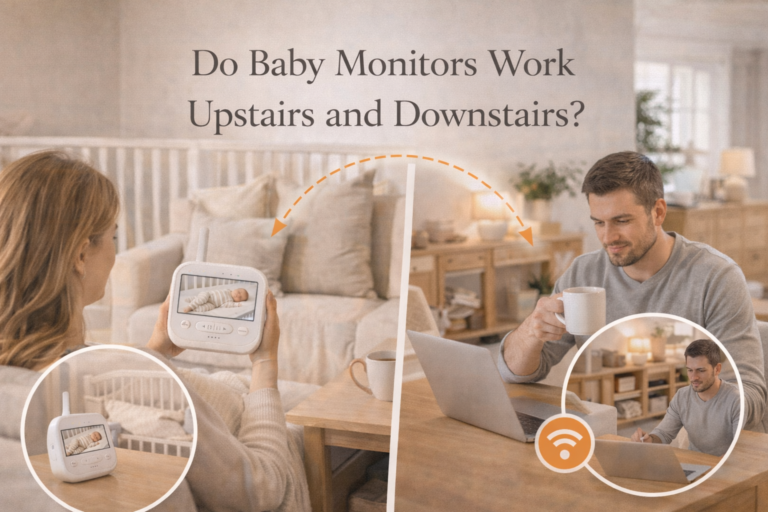
Walls block signals. Floors weaken connections. WiFi networks interfere. And suddenly, a monitor that looked perfect during setup starts dropping signal when you need it most.
At Safebabylab, we tested baby monitors in real home environments, including apartments, single-floor homes, and multi-level houses. The goal was simple: understand what actually works during real nighttime routines, not just under ideal conditions.
This guide explains how baby monitor range really works, what affects signal strength, and how to set up your monitor so it performs reliably every night.
Why Baby Monitor Range Is So Misleading
Baby monitor range numbers can be confusing. Many products advertise long distances, but those numbers are usually measured in ideal, open space conditions without walls, furniture, or interference.
Real homes are very different.
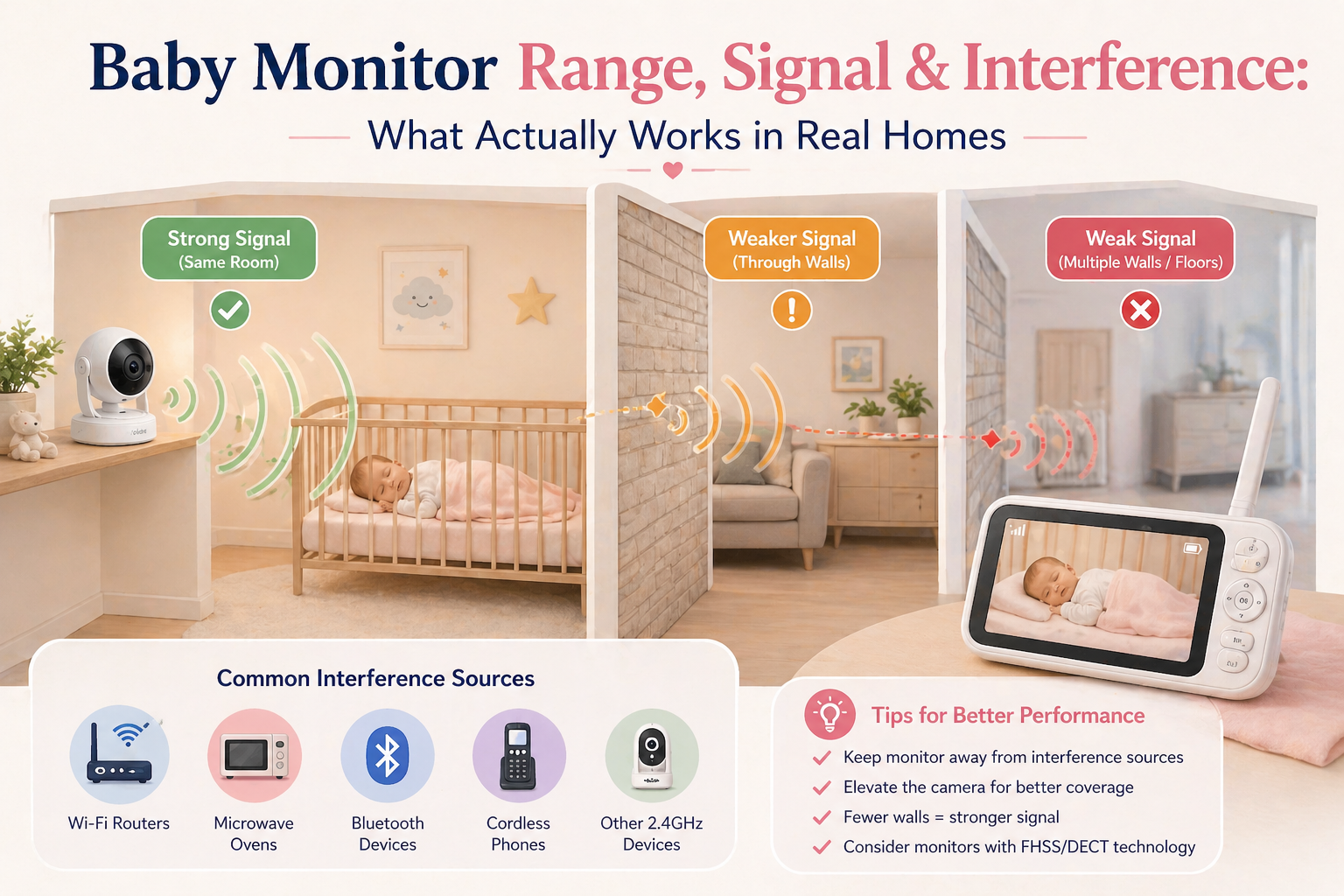
Inside a house or apartment, the signal has to pass through walls, floors, and everyday obstacles. Each barrier reduces signal strength, which means the actual range you experience is often much shorter than what is listed on the box.
Two monitors with similar advertised range can also perform very differently depending on how they handle interference. Nearby devices like WiFi routers, phones, and smart home systems can affect signal stability, especially in busy households.
Layout matters just as much as distance. A monitor may work perfectly across an open room but struggle between two rooms separated by thick walls or multiple obstacles.
This is why range should never be the only factor when choosing a baby monitor. Stability, consistency, and how the monitor performs in real conditions are far more important.
The best approach is to focus on how well a monitor maintains a connection in your home, not how far it claims to reach in perfect conditions. A stable signal you can rely on every day will always matter more than a higher number on paper.
- The key insight:
Real-world performance is usually 30–60% lower than advertised range.
How Baby Monitor Signals Actually Work
To understand the difference between FHSS and DECT, it helps to know how baby monitor signals work in real life.
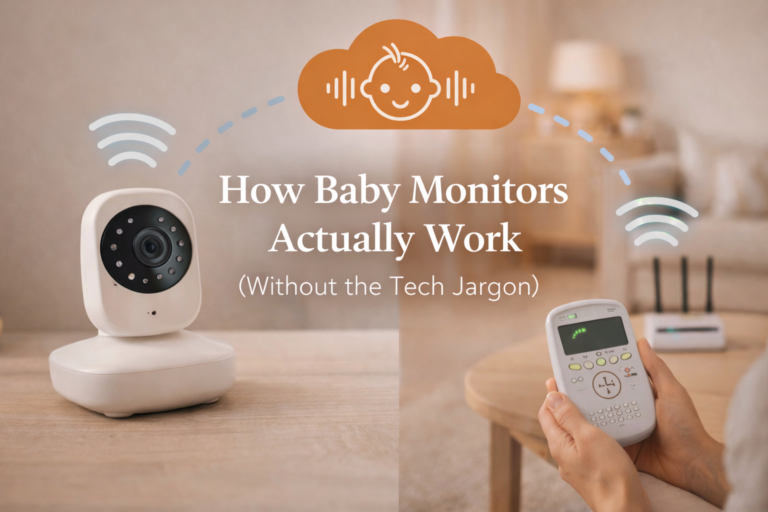
Most non WiFi baby monitors use a direct wireless connection between the camera in the nursery and the parent unit you keep with you. This means the signal does not go through the internet, an app, or any external servers. Instead, it travels directly from one device to the other.
That direct connection is what makes these monitors more private and often more stable than WiFi based cameras.
The signal itself is a type of radiofrequency transmission, similar to how cordless phones or walkie talkies work. The camera sends audio or video data over a specific range, and the parent unit receives it in real time.
Where FHSS and DECT differ is in how they handle that signal.
FHSS constantly switches between different frequencies while transmitting. This helps avoid interference from other devices and makes the signal harder to disrupt.
DECT uses a dedicated frequency band that is separate from most common household electronics. This keeps the connection stable and reduces the chance of interference, especially for audio.
In real homes, the quality of the signal is affected by more than just the technology. Walls, floors, furniture, and even other wireless devices can impact how far and how clearly the signal travels.
That is why advertised range is often different from what you experience at home. A monitor may be rated for long distances in open space, but inside a house the effective range is usually shorter.
Understanding this helps you choose the right monitor and set realistic expectations. The goal is not just strong signal on paper, but consistent performance in your everyday environment.
FHSS (Frequency Hopping Spread Spectrum)
- direct connection between camera and parent unit
- no internet required
- strong and stable
✔ best for reliability
✔ low interference risk
WiFi-Based Monitors
- connect through your home network
- allow remote viewing
✔ flexible access
❌ dependent on network quality
❌ sensitive to interference
DECT (Audio-focused systems)
- very stable for audio
- limited video use
- If you want a stable connection without network issues, check options in:
best baby monitor without WiFi - if you want audio only monitor check options.
Real-World Baby Monitor Range (Safebabylab Testing)
At Safebabylab, we tested monitors across different home types.
How Baby Monitor Range Performs in Real Homes
| Home Type | Advertised Range | Realistic Performance | Reliability |
|---|---|---|---|
| Small apartment | 300–1000 ft | Full coverage | ⭐⭐⭐⭐⭐ |
| Medium house | 800–1500 ft | 2–4 rooms stable | ⭐⭐⭐⭐ |
| Multi-floor house | 1000–2000 ft | Signal drops between floors | ⭐⭐⭐ |
- Key takeaway:
Range is not about distance. It is about obstacles.
What Affects Baby Monitor Signal the Most
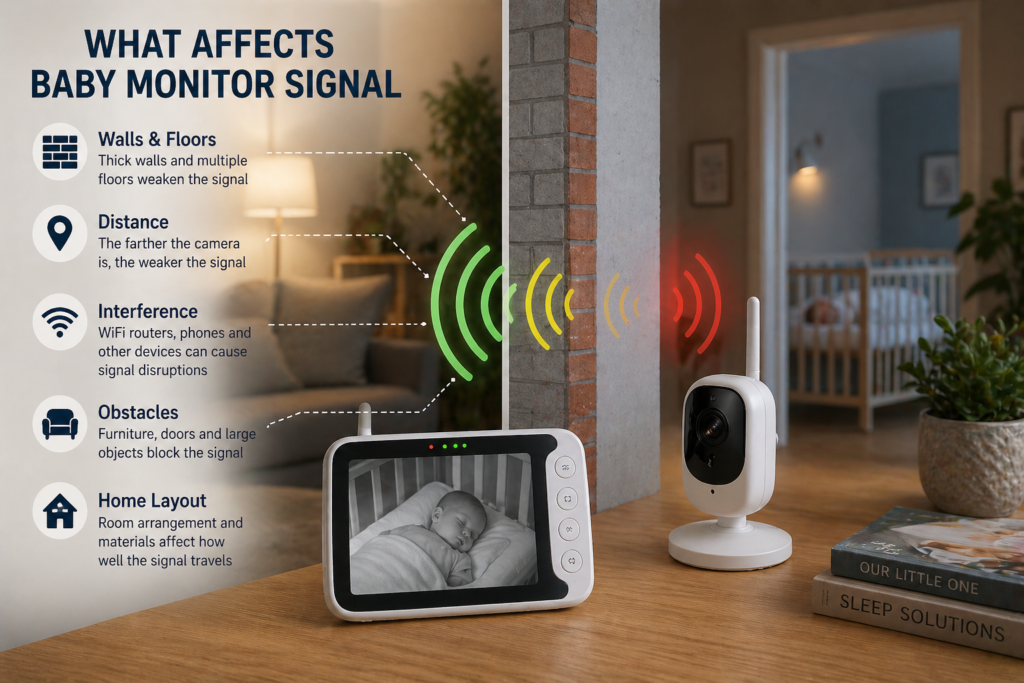
1. Walls and Building Materials
Different materials impact signal differently.
Signal Impact by Material
| Obstacle Type | Signal Impact | Real Effect |
|---|---|---|
| Drywall | Low | Minimal signal loss |
| Wood | Low | Slight reduction |
| Brick | Medium | Noticeable weakening |
| Concrete | High | Major signal drop |
| Reinforced floors | Very High | Most common failure point |
- Concrete is the biggest signal killer.
2. Floors (The Hidden Problem)
Most parents underestimate this.
Floors often cause more signal loss than walls, especially:
- reinforced concrete floors
- thick insulation
- This is why monitors fail between levels.
3. Interference (The #1 Real Problem)
Distance is not the main issue.
- Interference is.
Common sources:
- WiFi routers
- Bluetooth devices
- smart home systems
- neighboring apartments
- microwaves
Real insight:
In apartment testing, signal dropouts happened more often due to interference than distance.
4. Device Placement
Even small changes can dramatically affect performance.
Bad placement:
- behind furniture
- near walls
- near electronics
Good placement:
- elevated
- central in room
- unobstructed
Why Your Monitor Works in One Room but Not Another
If your baby monitor works perfectly in one room but loses signal in another, you are not imagining it. This is one of the most common issues parents experience.
The main reason is how wireless signals behave inside a home.
Baby monitors do not send signals in a straight, uninterrupted line. The signal has to travel through walls, floors, furniture, and everything else between the camera and the parent unit. Each obstacle weakens the signal a little more.
Some materials block signals more than others. Thick walls, concrete, metal structures, and even large appliances can significantly reduce range. A monitor that works well across an open space may struggle when there are multiple walls in between.
Distance is only part of the story. Two rooms that seem equally far away can perform very differently depending on what is between them.
Interference also plays a role. WiFi routers, phones, tablets, and other wireless devices can compete for signal space, especially in busy households. This can lead to dropouts, delays, or reduced video quality.
Small changes in placement can often solve the problem. Moving the parent unit a few feet, changing the angle of the camera, or avoiding placing the monitor near other electronics can improve the connection.
Understanding this helps set realistic expectations. Advertised range is usually measured in open space, but real performance depends on your home layout.
If you need more stable coverage across multiple rooms or floors, choosing a monitor known for strong and reliable signal can make a noticeable difference in everyday use.
FHSS vs WiFi: Real Performance Comparison
Which One Works Better in Real Homes?
| Feature | FHSS Monitor | WiFi Monitor |
|---|---|---|
| Stability | ⭐⭐⭐⭐⭐ | ⭐⭐⭐ |
| Interference Risk | Low | High |
| Range (real home) | Medium–High | Depends on network |
| Remote Access | No | Yes |
| Setup Complexity | Very Easy | Moderate |
| Night Reliability | Very High | Inconsistent |
- Conclusion:
- FHSS = reliability
- WiFi = flexibility
Signal Dropouts at Night (Real Problem Explained)
Many parents report this:
- works during the day
- fails at night
Why?
- more devices active
- more interference
- environmental changes
This is one of the most common issues seen in real testing.
How to Improve Baby Monitor Range (Step-by-Step)
This is where most parents can fix problems instantly.
1. Optimize Camera Placement
- place at mid-height
- avoid corners
- avoid obstructions
2. Adjust Parent Unit Position
- keep away from metal
- avoid placing near router
3. Reduce Interference
- move router if needed
- limit nearby devices
- avoid signal congestion
4. Test at Night
Always test:
- during bedtime
- not just daytime
5. Use Natural Awareness
Even with a monitor:
- ensure you can hear your baby if possible
Long-Range Monitors: What Actually Works
Not all “long-range” monitors are equal.
The best ones:
- maintain connection through walls
- resist interference
- perform consistently overnight
- You can explore tested models here:
best baby monitor long range
Tested by Real Parents in Real Homes
Every baby monitor can look great on paper. Specs, range claims, and feature lists all sound impressive until you actually use the monitor in a real home.
That is why we focus on real world testing.
Our reviews and comparisons are based on how monitors perform in everyday environments, including apartments, multi room homes, and spaces with multiple wireless devices. We look at how stable the signal is, how clear the audio sounds, and how well the connection holds up through walls and over distance.
We also pay attention to the small details that matter to parents. How quickly the monitor reconnects if the signal drops. Whether the video freezes or stays consistent. How the device performs overnight when it matters most.
One of our lead testers, Tamara M., a mother of three, uses these monitors in daily routines, including naps, nighttime monitoring, and moving between rooms. This helps us see how each technology performs beyond controlled conditions.
The goal is not just to compare features, but to understand what actually works when you rely on a monitor every day.
Because in the end, a baby monitor is not just a device. It is something you depend on for reassurance, especially during the moments when you cannot be in the room.
Common Mistakes Parents Make
Overestimating Advertised Range
Specs do not reflect real use.
Ignoring Home Layout
Every home behaves differently.
Poor Placement
Placement has the biggest impact.
Choosing Based on Price Alone
Cheaper monitors often fail under real conditions.
Relying Only on WiFi Signal Bars
Signal strength does not equal stability.
How Range Affects Safety and Peace of Mind
Baby monitor range is not just about how far a signal can travel. It directly affects how confident you feel when your baby is in another room.
A stable connection means you can rely on your monitor without constantly checking it. When the signal is strong and consistent, you are more likely to notice movement, hear sounds clearly, and trust what you see on the screen.
On the other hand, weak signal or frequent dropouts can create uncertainty. If the video freezes or the audio cuts out, it becomes harder to tell whether everything is fine or if you need to check in person.
This is where real world performance matters more than advertised range. A monitor that maintains a steady connection through walls and across rooms is far more valuable than one that claims long distance but struggles in everyday use.
Reliable range also supports better routines. You can move around your home, step into another room, or relax without feeling like you need to stay within a very narrow distance.
That said, a baby monitor should support your awareness, not replace it. Even with a strong signal, it is still important to check on your baby in person when needed and follow safe sleep practices.
The goal is simple. Choose a monitor and setup that gives you a stable connection, so you can focus less on the device and more on your peace of mind.
Quick Summary: What Actually Matters
Baby Monitor Range Factors
| Factor | Importance | Why It Matters |
|---|---|---|
| Placement | ⭐⭐⭐⭐⭐ | Biggest impact |
| Walls/Floors | ⭐⭐⭐⭐⭐ | Main blockers |
| Interference | ⭐⭐⭐⭐ | Common issue |
| Device Quality | ⭐⭐⭐⭐ | Stability factor |
| Distance | ⭐⭐ | Less important |
How This Fits Into Your Setup
Understanding baby monitor range, signal, and interference is only useful if you can apply it to your own home.
Every setup is different. An apartment with thin walls will behave very differently from a multi floor house with thick construction. The number of rooms, layout, and even where you place furniture can all affect how well your monitor performs.
The first step is to think about where you will actually use the monitor. Most parents rely on it during naps, overnight sleep, and when moving between rooms. That means your setup needs to work consistently in those exact situations, not just in ideal conditions.
Placement plays a big role. A clear path between the camera and the parent unit will almost always give you a stronger signal. Even small adjustments, like moving the receiver a few feet or changing the angle of the camera, can improve performance.
It also helps to consider how many devices are active in your home. Phones, routers, tablets, and smart devices can all affect signal stability, especially in smaller spaces where everything is close together.
If your home has multiple floors or thick walls, choosing a monitor known for stable signal can make everyday use much easier. You can also explore our guide to the best long range baby monitors to see which models perform more reliably in real conditions.
The goal is not to create a perfect setup, but a reliable one. A monitor that works consistently in the places where you actually use it will always be more valuable than one with higher specs that do not translate into real performance.
Final Thoughts
BabyBaby monitor range, signal strength, and interference are often misunderstood. Most monitors promise long distances, but real performance depends on how they work inside your home.
Walls, floors, furniture, and other wireless devices all affect how stable your connection will be. That is why a monitor that works perfectly in one room may struggle just a few steps away.
The goal is not to find the highest advertised range. It is to choose a monitor that delivers a stable, consistent signal in real conditions and to set it up in a way that supports that performance.
For most parents, non WiFi monitors using technologies like FHSS offer the best balance of stability, privacy, and ease of use. They provide a direct connection without relying on internet signals, which often leads to fewer dropouts and more predictable performance.
Small adjustments can also make a big difference. Better placement, fewer obstacles, and reducing interference from nearby devices can improve your signal more than you might expect.
If you are comparing real options, you can also explore our guide to the best long range baby monitors to see which models perform more reliably in everyday use.
In the end, what matters most is not how far a monitor can reach on paper, but how consistently it works when you rely on it every day.
FAQ
What affects baby monitor range the most?
The biggest factors are walls, floors, and obstacles between the camera and the parent unit. Thick walls, concrete, and metal structures can significantly reduce signal strength. Interference from WiFi routers and other devices can also impact performance.
Why does my baby monitor lose signal at night?
Signal dropouts at night are often caused by interference or changes in your environment. More devices may be active, doors may be closed, or the parent unit may be placed in a less optimal position. Even small changes can affect signal stability.
Is advertised range accurate for baby monitors?
Advertised range is usually measured in open space without obstacles. In real homes, the effective range is often much shorter. Walls, furniture, and layout can reduce performance significantly compared to what is listed on the box.
How can I improve my baby monitor signal?
You can improve signal by adjusting placement, reducing obstacles, and keeping the parent unit away from other wireless devices. Even moving the monitor or receiver a short distance can make a noticeable difference.
Do WiFi baby monitors have better range?
WiFi monitors can cover longer distances through your home network, but they depend on internet stability. Non WiFi monitors often provide a more consistent and predictable connection for short to medium range use.
What causes interference with baby monitors?
Interference can come from WiFi routers, smartphones, tablets, smart home devices, and even nearby electronics. When multiple devices operate on similar frequencies, signal quality can drop.
Which baby monitor works best in large homes?
Monitors known for strong signal stability perform best in larger homes. Models designed for long range use and those that handle interference well are usually more reliable across multiple rooms or floors.
Can walls completely block a baby monitor signal?
Yes, certain materials like concrete, metal, and thick insulation can weaken or even block signals. The more obstacles between the camera and the parent unit, the weaker the connection becomes.