How to Mount a Baby Monitor Camera: Safe and Simple Step by Step Guide
How to mount a baby monitor camera is one of the most important setup steps parents need to get right to ensure both safety and good visibility. A poorly mounted camera can fall, create cable hazards, or simply give you a bad view of your baby’s crib. In this guide, you’ll learn exactly how to mount a baby monitor camera safely, where to place it, and what mistakes to avoid.
How to Mount a Baby Monitor Camera Safely
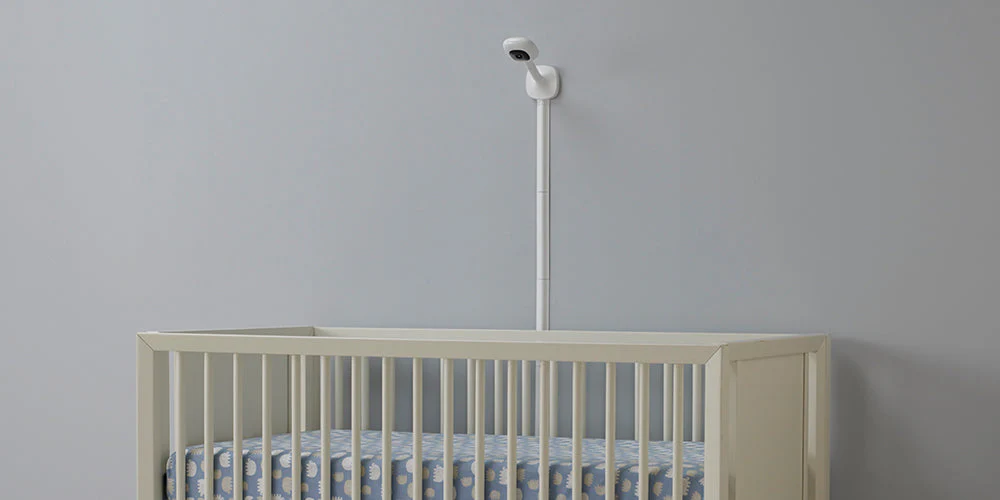
How to mount a baby monitor camera safely starts with choosing the right location and mounting method. The camera should always be:
- At least 3–6 feet (1–2 meters) away from the crib
- Mounted high on a wall or shelf
- Angled downward toward the crib
- Completely out of the baby’s reach
Never mount the camera directly on the crib or inside it.
Step 1: Choose the Best Location
Before drilling any holes, decide where the camera should go.
The ideal spot is:
- On the wall above or beside the crib
- High enough to see the whole sleeping area
- Not directly above the baby’s head
- Away from windows or bright light sources
Make sure the camera has a clear, unobstructed view and that night vision won’t be blocked by furniture or decor.
Step 2: Decide How You Will Mount the Camera
Most baby monitors can be mounted in one of three ways:
Wall mount (best option)
- Most secure
- Best viewing angle
- Keeps the camera completely out of reach
Shelf or furniture
- Easy and no drilling required
- Must be very stable
- Risk of falling if bumped
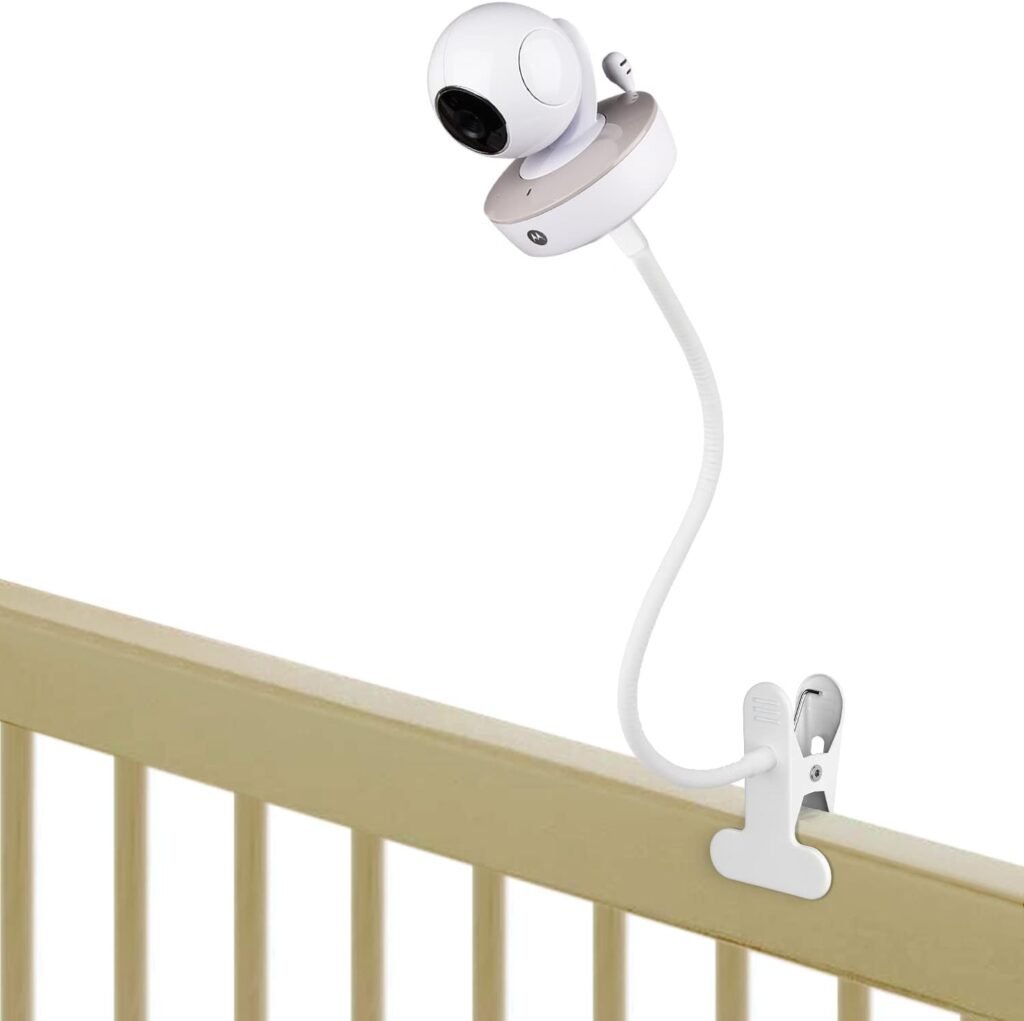
Flexible mount or clamp
- Convenient for temporary setups
- Must be checked regularly to ensure it hasn’t shifted
For long-term use, wall mounting is the safest and most reliable option.
Step 3: Mark and Prepare the Mounting Spot
If you’re wall mounting:
- Hold the camera or mount against the wall
- Mark the screw holes with a pencil
- Make sure the camera will be angled correctly once mounted
- Use a level if available
If the wall is drywall, use wall anchors to ensure the mount is secure.
Step 4: Secure the Mount
- Drill the holes if necessary
- Insert wall anchors if needed
- Screw in the mount tightly
- Make sure it does not wobble or move
Then attach the camera and adjust the angle.
Step 5: Manage Cables Safely
Cables are one of the biggest hidden dangers in baby monitor setups.
- Run cables along the wall
- Use cable clips or covers
- Never let cords hang loose
- Keep all cables at least 3 feet away from the crib
Never leave any part of the cable where the baby could reach or pull it.
Step 6: Test the Viewing Angle
Turn on the monitor and check:
- Can you see the baby’s face and body clearly?
- Is the crib centered in the frame?
- Does night vision work properly?
- Is there any glare or reflection?
Adjust the angle until you get a clear, stable view.
Common Baby Monitor Mounting Mistakes
Avoid these common errors:
- Mounting the camera too close to the crib
- Placing it directly above the baby’s head
- Leaving cables hanging
- Using unstable furniture or shelves
- Not checking the mount regularly
Any of these can create safety risks or poor visibility.
Should You Use a WiFi or Non-WiFi Camera?
Both types can be mounted in the same way, but:
- WiFi cameras require extra attention to cable routing and router placement
- Non-WiFi baby monitors are usually simpler and more reliable
No matter which type you use, physical placement and secure mounting are what make the setup safe.
How Often Should You Check the Mount?
You should:
- Check the mount at least once a month
- Recheck it after moving furniture
- Recheck it if the camera is bumped or adjusted
Babies grow, start moving, and eventually standing — so what was once out of reach might not stay that way forever.
Final Thoughts
Learning how to mount a baby monitor camera correctly is just as important as choosing the right monitor. A secure, well-placed camera gives you better visibility, fewer safety risks, and more peace of mind.
If you’re looking for reliable and easy-to-mount options, check our guide to Best Baby Monitor Without WiFi for some of the safest choices available.