Do Baby Monitors Work Upstairs and Downstairs? What to Expect
Do baby monitors work upstairs and downstairs? It’s one of the most important questions parents ask when choosing a monitor, especially if the nursery is on a different floor than the living room or master bedroom. On paper, many baby monitors claim impressive range numbers 800 feet, 1,000 feet, even 1,500 feet. But parents quickly learn that a home is not an open field.
Once you introduce floors, ceilings, thick walls, and the reality of daily household interference, range becomes a completely different story. Some baby monitors handle multi-level homes beautifully, while others struggle the moment you walk downstairs or step into the kitchen.
This isn’t just an inconvenience. For parents of newborns, a reliable signal matters emotionally. If the monitor disconnects every time you go downstairs, you lose the peace of mind you bought it for in the first place.
The good news is that most modern baby monitors can work upstairs and downstairs but the results depend on the type of monitor, the materials in your home, and how you set it up.
This guide explains what parents can realistically expect, why some monitors fail between floors, and how to choose and optimize a setup that works in real homes.
Why Upstairs vs Downstairs Is Harder Than Parents Expect
Many parents assume that if a baby monitor can reach 1,000 feet, it should easily handle two floors. But floors are different than walls.
A signal traveling from upstairs to downstairs often has to pass through:
- thick ceiling structures
- wiring and electrical conduits
- metal ductwork
- plumbing pipes
- insulation materials
- support beams
- sometimes concrete reinforcement
These elements can weaken or block wireless signals more than a simple interior wall. That’s why a monitor may work perfectly in a hallway upstairs but lose signal immediately downstairs, even though the distance is short.
Range claims are usually measured in ideal “line-of-sight” outdoor conditions. In a multi-floor home, line-of-sight does not exist.
In other words, you’re not testing distance. You’re testing obstacles.
Do Baby Monitors Work Upstairs and Downstairs in Most Homes?
In many typical American homes with drywall and wood framing, the answer is yes baby monitors usually work across floors, especially if the home is not unusually large.
But the experience can vary widely.
In a smaller two-story home, most decent monitors will maintain a stable signal between the nursery upstairs and the living room downstairs.
In a larger home, or one with thicker materials, performance can become inconsistent. Parents may notice:
- video freezing
- delayed audio
- intermittent “no signal” alerts
- reduced clarity
- lag on app-based monitors
In homes with concrete or brick construction, it’s common for monitors to struggle more, especially if the camera is placed in a corner or behind furniture.
So yes, baby monitors often work upstairs and downstairs but reliability is not guaranteed, and it depends heavily on the technology used.
What Type of Baby Monitor Works Best Between Floors?
To understand which monitors perform best upstairs and downstairs, it helps to understand the three main categories.
Non-WiFi Video Monitors (FHSS): Often the Most Reliable Choice
Non-WiFi monitors use a dedicated parent unit. They don’t rely on your internet router. They communicate directly between the camera and the handheld screen.
Most modern non-WiFi monitors use FHSS technology (Frequency-Hopping Spread Spectrum). This helps reduce interference because the signal hops between channels rather than staying on one crowded frequency.
For multi-floor homes, FHSS monitors are often more stable than parents expect, because they are built for short-range indoor reliability rather than internet-based streaming.
However, they are still limited by walls and floors. If your home has thick concrete or a basement setup, even FHSS may struggle.
Still, for many parents, FHSS is the best “plug-and-play” option for upstairs/downstairs monitoring.
WiFi Baby Monitors: Can Work Great (If Your WiFi Coverage Is Strong)
WiFi baby monitors work differently. The camera connects to your home router, and you view the feed through a phone app.
This means the camera doesn’t need to “reach” your phone directly. It needs to reach your WiFi network.
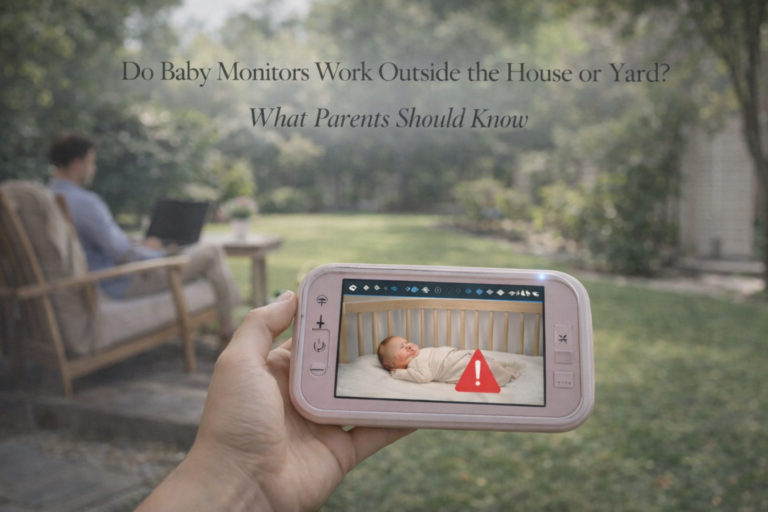
If your nursery has strong WiFi coverage, WiFi monitors can work extremely well across floors — even if you’re downstairs or outside.
But if your WiFi signal upstairs is weak, you may experience constant buffering, lag, or disconnects.
Many parents assume a WiFi monitor automatically equals long range, but that’s only true if your home network is strong. In homes with dead zones, WiFi monitors can be frustrating.
This is why some parents switch to non-WiFi monitors for the newborn stage, when they want reliability more than remote access.
If you’re comparing monitor types and want a broader breakdown, your pillar article Baby Monitors: The Complete Guide for Parents is the perfect internal link here because it covers the strengths and weaknesses of each monitor category.
Audio-Only DECT Monitors: Great Range, Simple Setup
Audio-only monitors often use DECT technology, which operates on a different frequency band than WiFi. DECT is generally stable and less prone to interference.
For parents who don’t need video, DECT monitors can perform very well between floors. They often provide strong range and clear sound.
The limitation is obvious: you can’t see your baby. For some parents, that’s fine. For others, video is non-negotiable.
But in terms of upstairs/downstairs reliability, DECT audio monitors are usually a safe bet.
Why Some Baby Monitors Fail Between Floors
Even if a monitor is advertised as “long range,” certain conditions make upstairs/downstairs use more difficult.
Home construction materials
Some materials reduce signal dramatically:
- reinforced concrete
- brick walls
- stone
- thick plaster
- metal beams
- radiant heating floors
If your home is built with dense materials, range drops quickly.
Camera placement in the nursery
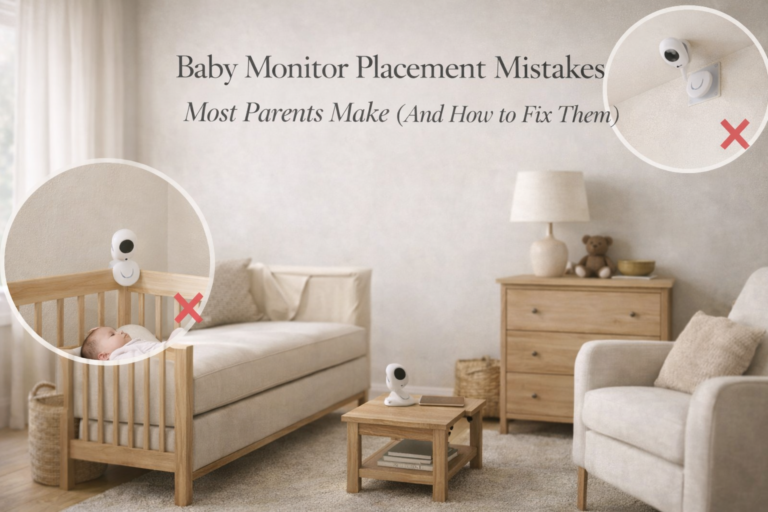
If the camera is placed low behind furniture or near thick walls, the signal may be weaker. Mounting it higher often improves transmission.
Parent unit location downstairs
Parents sometimes keep the parent unit in a far corner room downstairs. If the signal must travel through multiple walls plus a ceiling, connection will weaken.
Competing wireless signals
WiFi routers, Bluetooth devices, and other electronics can create interference. This is especially common in apartments or neighborhoods with many WiFi networks.
If you want a deeper look at interference issues, your existing post Can Baby Monitors Interfere With WiFi or Other Devices? connects perfectly with this topic and supports the cluster naturally.
How Far Can a Baby Monitor Work Through Floors?
Parents often ask this in terms of feet, but feet don’t matter as much as barriers.
A monitor might claim 1,000 feet, but indoors that might translate to:
- 100–300 feet through walls
- 1–2 floors depending on layout
- reduced performance through concrete
In many two-story homes, a good monitor can work reliably from the upstairs nursery to the downstairs living room, but may struggle from upstairs nursery to basement or garage.
If your house has three levels, you should expect more signal challenges.
This is why “upstairs and downstairs” isn’t one scenario. It’s dozens of different home layouts.
Real-World Testing: How to Know If a Monitor Will Work in Your House
The best way to know is to test.
If you already own a monitor, do a real home walk test:
- Place the baby unit where it will permanently stay.
- Walk downstairs to the rooms you spend time in.
- Test the feed in:
- kitchen
- living room
- bedroom
- garage
- patio/balcony
- Close doors and test again.
- Test during peak WiFi use hours (evenings).
Parents are often surprised that the monitor works fine with doors open but disconnects with doors closed.
This happens because doors, especially thick wood doors, reduce signal.
How to Improve Baby Monitor Performance Between Floors
If your monitor struggles between floors, you may be able to improve it without buying a new device.
Mount the camera higher
Wall-mounting the camera is one of the best fixes. Height reduces obstacles and improves signal path.
Move the parent unit to a better location
Sometimes signal drops occur because the parent unit is placed in a poor spot. Try moving it closer to the center of the home or away from thick walls.
Avoid placing the camera near large electronics
Avoid placing the camera near:
- smart TVs
- WiFi routers
- large speakers
- metal shelves
Electronics can interfere with signal transmission.
Strengthen WiFi coverage (for WiFi monitors)
If your WiFi monitor struggles, the problem is often the router.
Solutions include:
- moving the router closer
- using a mesh WiFi system
- adding a WiFi extender
- ensuring the nursery has strong 2.4 GHz signal
WiFi monitors often rely on 2.4 GHz because it penetrates walls better than 5 GHz.
Lower streaming quality (WiFi monitors)
Many WiFi monitor apps allow you to lower video resolution. This reduces bandwidth and often improves stability.
Should Parents Choose WiFi or Non-WiFi for Upstairs/Downstairs Monitoring?
This is one of the biggest buying decisions parents face.
If your priority is stable monitoring inside the home, especially at night, many parents prefer non-WiFi monitors. They tend to be more predictable and less dependent on network conditions.
If your priority is checking the baby from anywhere (including outside the home), WiFi monitors offer that flexibility, but only if your home WiFi is strong.
Parents who want both stability and privacy often choose non-WiFi options, which is why your money page Best Baby Monitor Without WiFi is extremely relevant for this topic.
It speaks directly to families who want reliable performance without worrying about router dead zones or app glitches.
Upstairs/Downstairs Monitoring and Newborn Sleep
When parents worry about monitors failing between floors, it’s often because nighttime feels fragile. Many parents sleep downstairs while the baby is upstairs, or vice versa.
In the newborn stage, sleep is already disrupted. A monitor that disconnects adds stress and makes it harder to rest.
The goal is to create a night setup that feels stable and predictable. That includes safe sleep practices, but also practical decisions like where the baby sleeps, where parents sleep, and whether the monitor is reliable enough for peace of mind.
If your family is navigating those early sleep routines, Baby Sleep & Night Care: A Practical Guide for New Parents is a strong internal link because it helps parents understand what matters most at night and how to build routines that reduce anxiety rather than increase it.
Final Thoughts
So, do baby monitors work upstairs and downstairs? In most homes, yes but not all monitors perform equally well between floors.
The biggest factors are home construction, camera placement, and whether the monitor depends on WiFi. Many parents get the best results by choosing a stable non-WiFi monitor, mounting it high, and testing range in the rooms where they spend real time.
A baby monitor should support your life, not create a new stress point. With the right setup, upstairs/downstairs monitoring can be smooth and reliable even during the unpredictable newborn months.
FAQ
Do baby monitors work upstairs and downstairs in a two-story house?
Most baby monitors work across floors in a typical two-story house, but performance depends on wall thickness, ceiling materials, and monitor type. Non-WiFi monitors often provide more predictable indoor range.
Why does my baby monitor lose signal when I go downstairs?
Signal loss happens because the monitor must pass through floors, wiring, and walls. Concrete, brick, and metal structures can reduce range significantly.
Are WiFi baby monitors better for upstairs and downstairs monitoring?
WiFi monitors can work well across floors if your WiFi coverage is strong in the nursery. If your upstairs WiFi signal is weak, the monitor may lag or disconnect more often.
What is the best type of baby monitor for multi-level homes?
Many parents prefer non-WiFi FHSS monitors for multi-level homes because they don’t rely on internet routers and are often more stable indoors.
How can I improve my baby monitor signal between floors?
You can improve performance by mounting the camera higher, moving the parent unit to a central location, reducing wireless interference, and strengthening WiFi coverage if you use a WiFi monitor.