Do Baby Monitors Record Video or Audio? What Parents Should Know
Do baby monitors record video or audio? This is one of the most common and often misunderstood questions new parents ask when choosing a monitor. Many assume that if a monitor has a camera or microphone, it must be recording everything automatically. In reality, recording behavior varies widely depending on the type of monitor, the technology behind it, and the privacy settings chosen by the parents.
Understanding how baby monitors handle audio and video is not just a technical detail. It affects privacy, data security, storage costs, and even how comfortable parents feel using the device day and night. Some families want recording for reassurance or review, while others prefer a monitor that never stores a single second of footage.
This article breaks down exactly when baby monitors record, when they don’t, and what that means for real households.
Do Baby Monitors Record Video or Audio by Default?
Most baby monitors do not record video or audio by default, even if they include a camera and microphone. Their primary function is live monitoring allowing parents to see and hear their baby in real time. Recording is usually an optional feature, not an automatic one.
Whether recording is possible depends on three key factors:
the type of monitor, how it connects, and how it stores data.
Audio-only monitors
Traditional audio monitors transmit sound live between the baby unit and the parent unit. These devices almost never record. There is no storage, no memory card, and no app. Once the sound passes through, it’s gone.
Video monitors without internet
Non-WiFi video monitors typically show a live video feed on a dedicated screen. In many cases, they do not record at all. Some higher-end models allow recording only if a microSD card is manually inserted, and even then, recording must usually be turned on intentionally.
WiFi-enabled smart monitors
WiFi monitors are the most likely to offer recording. These models connect to a smartphone app and may allow parents to record clips manually, schedule recordings, or store footage in the cloud. Even here, recording is almost always opt-in, not automatic.
The key takeaway is simple: having a camera does not mean your baby monitor is constantly recording.
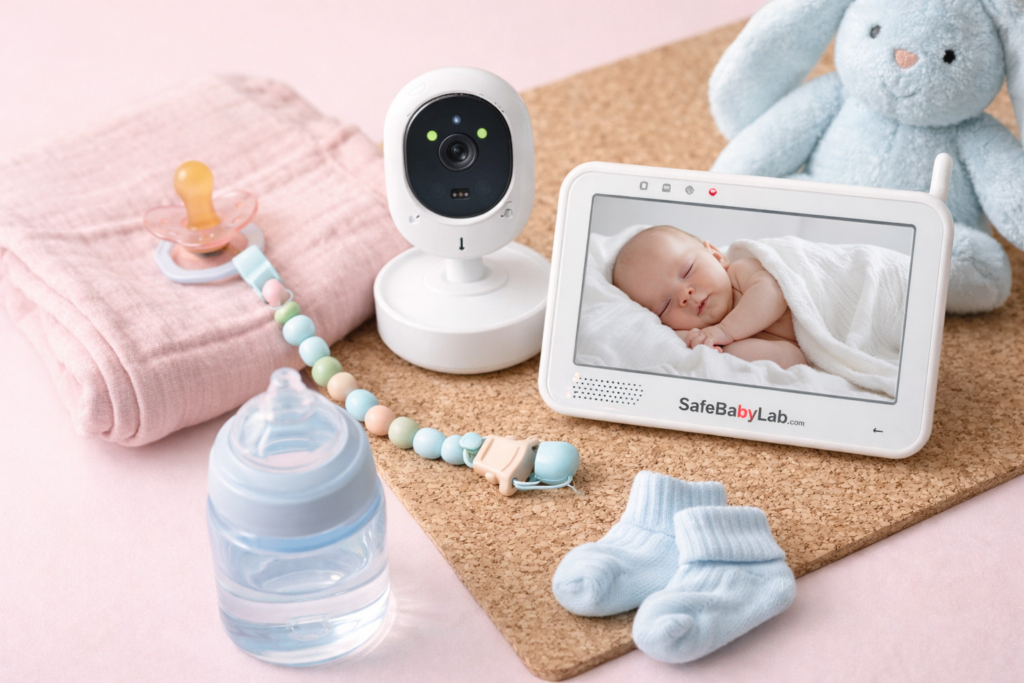
When Baby Monitors Do Record Video or Audio
There are specific situations where recording does occur, and parents should be aware of them.
Manual recording by parents
Many app-based monitors allow parents to tap a button to record a short video or audio clip. This is commonly used to save sweet moments or capture unusual sounds for later review.
Motion- or sound-triggered recording
Some smart monitors can record automatically when they detect motion or sound above a set threshold. This feature is typically configurable and can be turned off entirely.
Continuous recording with storage
A smaller number of monitors support continuous recording, but this almost always requires either a paid cloud subscription or a local SD card. Continuous recording is rarely enabled by default due to storage and privacy concerns.
Event-based clips
Instead of full recordings, many monitors store short clips tied to events, such as movement in the crib or crying. These clips are usually brief and accessible only through the parent’s app account.
If recording exists, parents generally have full control over when it happens.
Where Are Baby Monitor Recordings Stored?
Storage location matters as much as recording itself.
Local storage
Some monitors save recordings to a microSD card inside the camera or parent unit. This keeps data physically inside the home and avoids cloud servers altogether. If the card is removed, recordings stop.
Cloud storage
WiFi monitors often offer cloud storage through the manufacturer’s app. This allows access from anywhere but usually requires a subscription. Cloud recordings are encrypted, but they still depend on external servers.
No storage at all
Many monitors simply do not store recordings in any form. Once the live feed ends, there is no record to access later.
Parents who are concerned about privacy often prefer monitors with no cloud storage or no recording capability at all.
Privacy, Security, and Legal Considerations
Recording audio or video inside a home raises valid privacy questions.
In most US states, recording video in your own home is legal, especially when the purpose is child monitoring. Audio recording laws can be more complex, particularly if other adults are present. However, baby monitors used for household purposes are generally considered acceptable when everyone in the home is aware of them.
Security risks are more relevant with WiFi monitors. Weak passwords, outdated firmware, or unsecured networks can increase exposure. This is why many parents gravitate toward simpler, closed-system monitors that never connect to the internet.
If privacy is a top priority, it’s worth reviewing broader guidance in Baby Monitors: The Complete Guide for Parents, which explains the trade-offs between connectivity, convenience, and security in much more detail.
Recording vs. Live Monitoring: What Parents Actually Need
For most families, continuous recording is not essential.
Live monitoring covers the vast majority of real needs: checking breathing, responding to cries, and ensuring safe sleep. Recording can be helpful in specific scenarios, such as reviewing sleep patterns or understanding unexplained noises, but it is not required for effective caregiving.
In fact, some parents find constant access to recordings increases anxiety rather than reducing it. Replaying every movement or sound can lead to over-monitoring, especially during the early months.
If your primary goal is simple, reliable monitoring without digital overhead, many families choose monitors that avoid recording altogether especially non-WiFi options like those discussed in Best Baby Monitor Without WiFi.
How Recording Relates to Baby Sleep and Night Care
Recording features are often marketed as sleep-tracking tools, but they are not the same as professional sleep monitoring.
While some monitors log movement or sound events, they cannot interpret sleep quality or safety on their own. Parents looking to support healthy sleep routines may benefit more from understanding night-time patterns, room environment, and consistent responses than from reviewing video clips.
For a broader perspective on nighttime care beyond technology, Baby Sleep & Night Care: A Practical Guide for New Parents offers context that helps parents decide when monitoring tools support rest and when they simply add noise.
How to Check If Your Baby Monitor Is Recording
If you already own a monitor and aren’t sure about its recording behavior, a few steps can clarify things quickly.
First, check the settings menu in the parent unit or app. Recording options are usually clearly labeled. Second, look for a memory card slot on the camera. If there is none, local recording is unlikely. Finally, review the manufacturer’s privacy policy to see if cloud storage is offered or required.
If you never enabled recording and there is no storage medium installed, your monitor is almost certainly not recording.
Final Thoughts
Baby monitors are designed first and foremost for live reassurance, not surveillance. While some models can record video or audio, recording is rarely automatic and almost always under parental control. Understanding how your specific monitor handles data can ease privacy concerns and help you choose features that truly support your family’s needs.
For many parents, less technology creates the calmest environment at home.
FAQ
Do baby monitors record all the time?
Most baby monitors do not record continuously. Recording usually happens only if parents enable it manually, insert a storage card, or activate event-based recording in the app.
Can someone else access my baby monitor recordings?
Access depends on the monitor type. Non-WiFi monitors with no storage cannot be accessed remotely. WiFi monitors require secure accounts and passwords to protect recordings stored in the cloud.
Is audio recording always on in baby monitors?
Live audio transmission is always active when monitoring, but recording audio for playback later is typically optional and must be enabled.
Are recordings kept forever?
Cloud recordings are usually stored for a limited time unless parents pay for extended storage. Local recordings remain only as long as the storage card has space.
Should I choose a monitor that records video?
That depends on your comfort level and needs. Many parents prefer simple live monitoring, while others value occasional recording for review. There is no single right choice.