10 Best Baby Monitors for Long Range (Houses & Yards)
Best long range baby monitor shopping sounds simple until you’re standing in your kitchen, the baby is finally asleep, and your current monitor decides to cut out the second you walk into the backyard. The screen freezes. The audio delays. You stare at a blank display and suddenly every parenting fear shows up at once.
That’s the problem with long-range baby monitors: range isn’t just a number printed on a box. It’s real life. It’s thick walls. It’s WiFi interference. It’s two floors, a garage, and one unlucky dead zone right outside the nursery.
And if you’re shopping as a new parent (or an exhausted second-time parent), it’s not just about signal. You’re also trying to balance privacy, ease of use, battery life, and whether you want an app monitor that depends on your phone or something simple that just works at 2:17 a.m.
A good long-range monitor gives you freedom. You can fold laundry downstairs. You can cook dinner without panic-checking every 30 seconds. You can sit outside for five quiet minutes and still know you’ll hear your baby immediately if something changes.
This guide is for parents who want reliable range, not marketing promises. We focused on monitors that are known for working well in larger homes, multi-floor layouts, and even yards without turning bedtime into a tech support situation.
Quick Answer: Which Type of Long-Range Monitor Should You Buy?
If you want the most reliable signal and privacy, choose a non-WiFi long-range monitor like the Infant Optics DXR-8 Pro or VTech RM7754HD. These are the best “just works” options for houses.
If you want app convenience and travel-friendly flexibility, a WiFi monitor like the Nanit Pro or Motorola PIP models can work well but only if your WiFi is strong.
If you want the best budget long-range pick, VTech models often offer surprisingly solid range without the premium price.
For apartments, range matters less than audio reliability and battery life. For multi-floor houses and yards, go non-WiFi or hybrid whenever possible.
How We Chose These Long Range Baby Monitors
When parents say they need “long range,” they usually mean one of three things:
- Their monitor cuts out when they go downstairs
- They lose signal in the backyard
- The audio delay makes them feel like they’re always one step behind
So instead of focusing on manufacturer range claims (which are often tested in wide open spaces with no walls), we looked at what matters in real homes:
Signal reliability (not just advertised range)
A monitor that claims 1,000 feet means nothing if it drops signal behind one brick wall. We prioritized models with strong track records for stable connection in multi-room setups.
Audio clarity and response time
Parents don’t just need sound they need fast sound. A half-second delay can feel like an eternity when you hear a baby cry.
Camera quality and night vision
You don’t need movie-quality video, but you do need to clearly see breathing movement, sleep position, and whether your baby is awake or just fussing.
Battery life (especially overnight)
Many monitors work fine for naps, then die halfway through the night. We favored models with strong parent-unit battery performance.
Ease of use at night
If a monitor requires five taps, app refreshes, and reconnecting to WiFi… you won’t love it at 3 a.m.
Security and privacy
WiFi monitors are convenient, but they introduce privacy concerns. We favored brands with better security reputations and clearer controls.
Practical extras (split-screen, multiple cameras, mounting)
Range matters, but so does being able to mount the camera correctly and expand to a second child later.
Top Picks: 10 Best Baby Monitors for Long Range
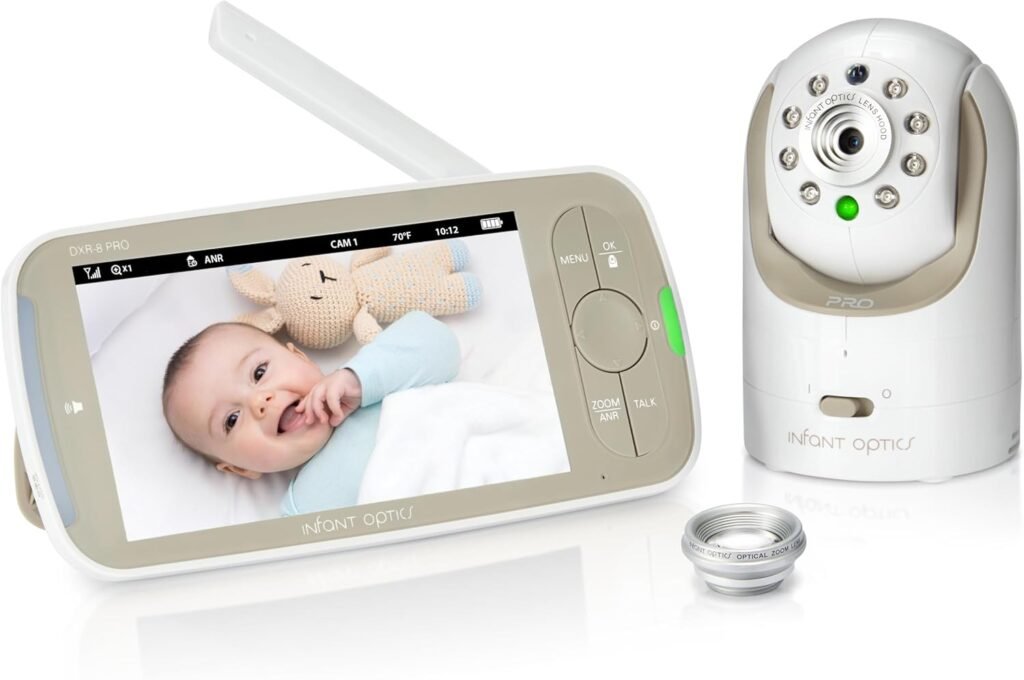
1. Infant Optics DXR-8 Pro
Best for: Parents who want a strong long-range non-WiFi monitor that feels dependable every night.
The DXR-8 Pro is one of the most recommended non-WiFi monitors for a reason: it’s simple, stable, and built around real parenting needs rather than app features. It uses FHSS technology (a secure, closed signal) which tends to hold up well across rooms and floors.
Parents like the sharp video quality compared to older models, plus the interchangeable lens system if you want wider coverage. The audio response is quick, and the monitor unit is straightforward enough that even sleep-deprived grandparents can use it.
Potential downsides: The screen is good, but not as modern as premium WiFi monitors. Battery life is decent, but heavy use of brightness can drain it faster than expected.
Ideal home type: Multi-floor houses, medium-to-large homes, and families who want backyard coverage without relying on WiFi.
Real-life scenario: You finally sit down outside with a coffee after bedtime. The monitor doesn’t lag, doesn’t buffer, and you still hear the moment your baby starts stirring.
Mini conclusion: One of the safest choices for parents who want long range without the WiFi stress.
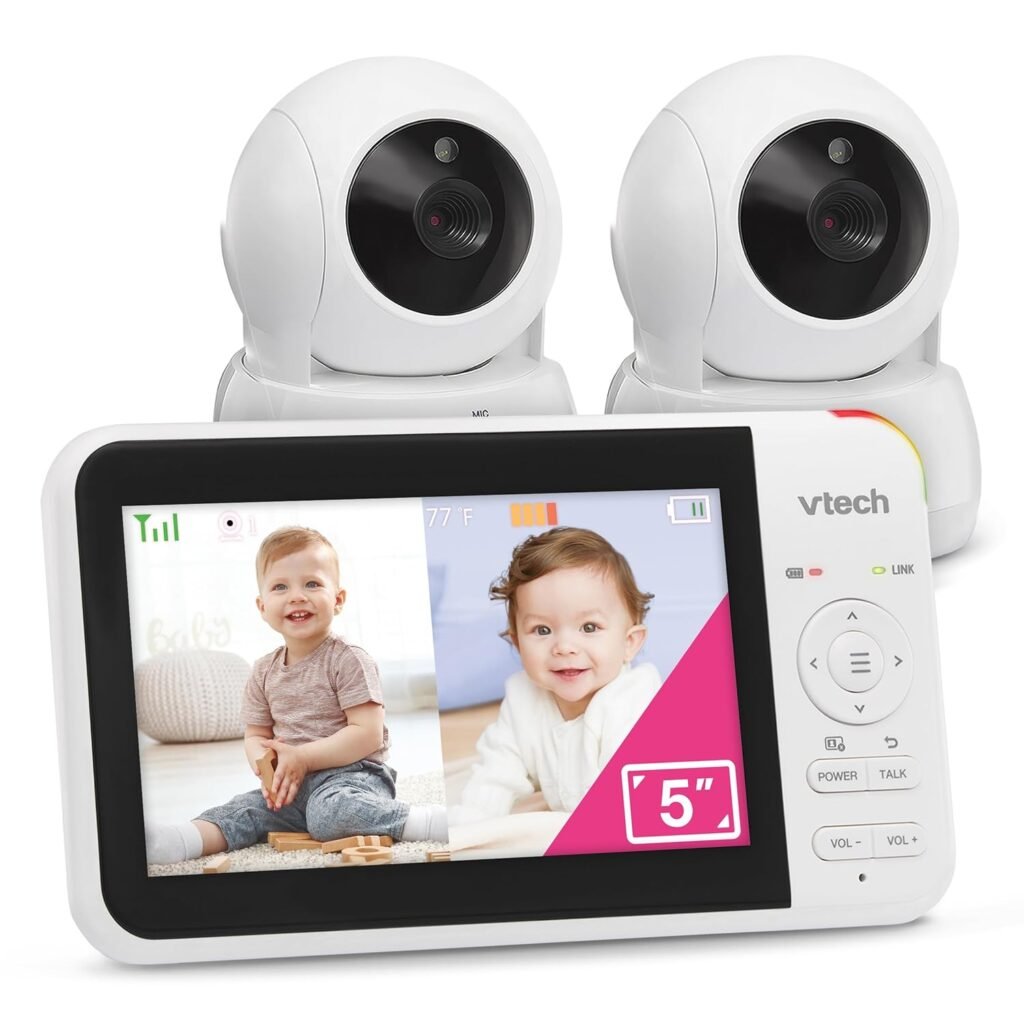
2. VTech RM7754HD Smart WiFi Monitor
Best for: Parents who want a hybrid monitor with both a parent unit and app access.
This VTech model hits a sweet spot: it works as a traditional monitor with a dedicated parent unit, but it also offers WiFi app access when you’re away. That combination makes it attractive for parents who want long-range coverage at home without fully depending on their phone.
The video quality is strong for the price, and the night vision is generally clear enough to see sleep position and movement. Range in non-WiFi mode is often solid across floors, and the included pan/tilt features help cover larger nurseries.
Parents also like that it’s flexible: you can use the parent unit at night, and check the app during the day if you’re in the yard or garage.
Potential downsides: Like most hybrid models, setup can feel slightly more complicated than pure non-WiFi monitors. WiFi performance depends heavily on your router placement.
Ideal home type: Houses, multi-floor homes, and families who want yard coverage plus remote viewing.
Real-life scenario: You’re folding laundry downstairs while your toddler is asleep upstairs. Later, you’re outside watering plants and quickly check the app without carrying the monitor around.
Mini conclusion: A strong “best of both worlds” pick if you want long range plus app convenience.
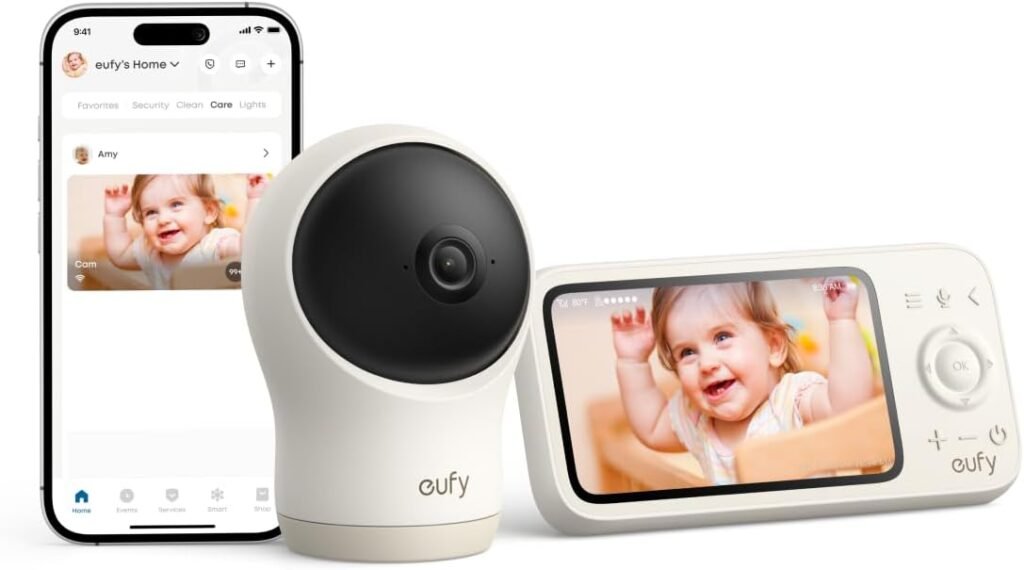
3. Eufy SpaceView Pro
Best for: Parents who want a bigger screen and reliable long-range connection without WiFi.
Eufy has built a reputation for making monitors that feel modern without pushing you into app-only territory. The SpaceView Pro is a non-WiFi system, which makes it appealing to parents who worry about hacking or simply don’t want another device connected to their home network.
The screen is large and clear, and parents often praise the stable connection throughout a house. It’s also known for decent battery life, especially compared to older non-WiFi monitors. Night vision is clean enough for quick check-ins without needing to zoom obsessively.
Another strong point is ease of use. You turn it on, it works, and you don’t have to babysit the monitor itself.
Potential downsides: It’s not the cheapest option, and the design is more functional than premium. Some parents find the menu system slightly clunky at first.
Ideal home type: Houses and larger apartments, especially where WiFi signal is unreliable.
Real-life scenario: You’re cooking dinner with the monitor propped on the counter. No buffering, no app crashes, no “reconnecting…” message when you walk into the hallway.
Mini conclusion: A calm, reliable monitor for parents who value stability over fancy features.
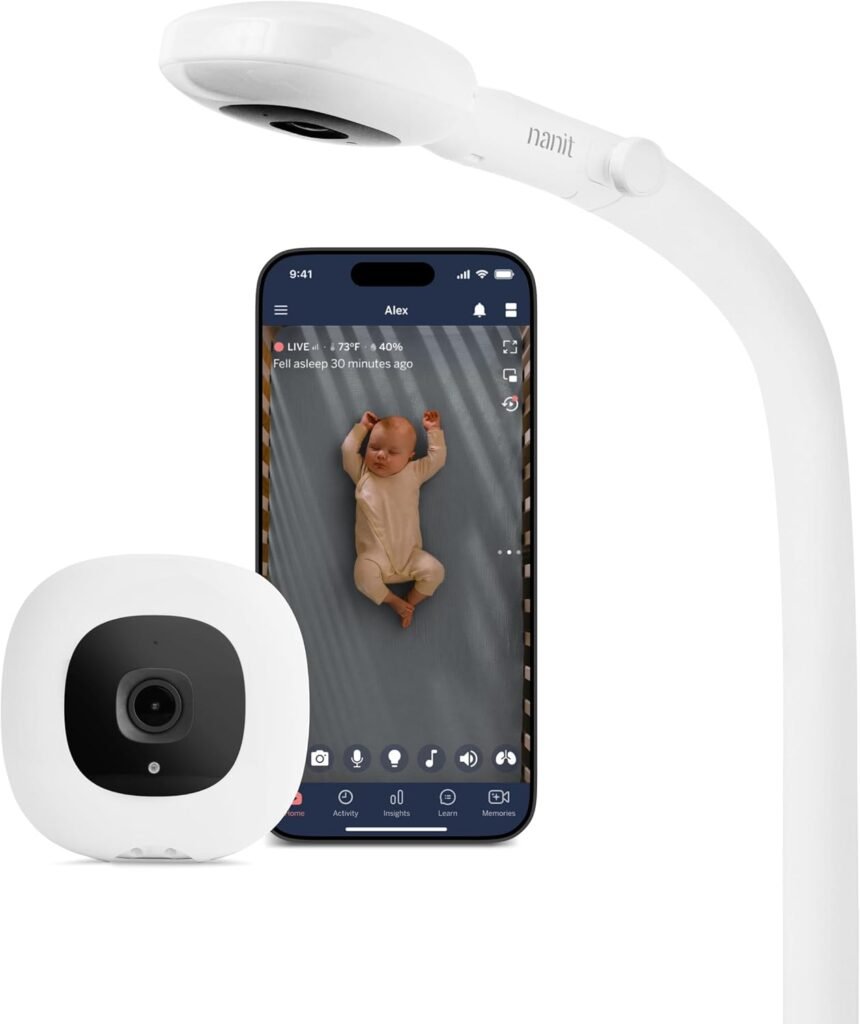
4. Nanit Pro Smart Baby Monitor
Best for: Parents who want premium WiFi monitoring and sleep tracking.
Nanit is popular with tech-friendly parents, especially those who want sleep insights and a strong app experience. It’s not a traditional long-range monitor in the FHSS sense. Instead, it depends on WiFi quality. If your home WiFi is strong, Nanit can feel like the most flexible long-range option available.
The video quality is excellent, and the night vision is among the best in the category. It’s the type of monitor where you can zoom in, check breathing motion, and feel reassured without walking into the room.
Parents also like the “background audio” style monitoring, where you can keep sound running while doing other things. It’s particularly useful if you want to check the baby while traveling or visiting family.
Potential downsides: If your WiFi drops, your monitor drops. It’s also expensive, and some features require subscription plans.
Ideal home type: Homes with strong WiFi coverage, parents who travel, or parents who want advanced monitoring tools.
Real-life scenario: You’re out for dinner with grandparents babysitting. Instead of texting every 20 minutes, you quietly check the app, see your baby sleeping, and actually enjoy your meal.
Mini conclusion: Best for parents who want premium monitoring and have reliable WiFi.
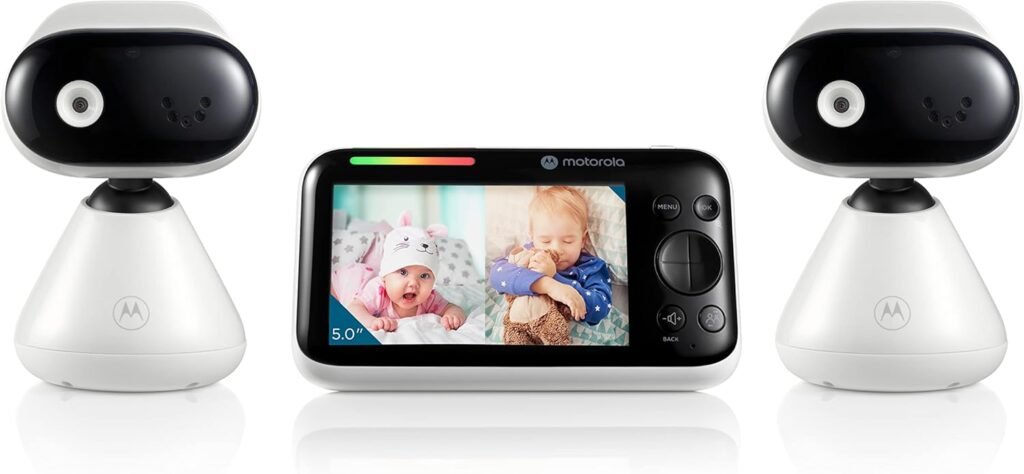
5. Motorola PIP1510 Connect
Best for: Parents who want a large screen plus WiFi backup.
Motorola’s PIP series tends to be popular with parents who want flexibility. The PIP1510 gives you a big parent unit screen, but also includes WiFi features for remote viewing. It’s a setup that works well in bigger homes where you may move between floors often.
The range in non-WiFi mode is generally strong, and the camera features (pan/tilt/zoom) help cover wide nurseries or playrooms. The audio is clear enough to catch fussing early, and the system is intuitive once set up.
Parents also like that Motorola monitors often feel like “real baby gear” rather than tech products. They’re built for everyday use, not just app demos.
Potential downsides: The app experience isn’t as polished as Nanit or some other premium WiFi brands. Some parents report occasional connection hiccups.
Ideal home type: Multi-floor houses and families who want both screen monitoring and phone access.
Real-life scenario: Baby is asleep upstairs. You’re downstairs watching TV. You keep the parent unit nearby, but when you go outside to take out trash, you check the phone app quickly.
Mini conclusion: A strong hybrid option if you want a big screen and flexible monitoring.
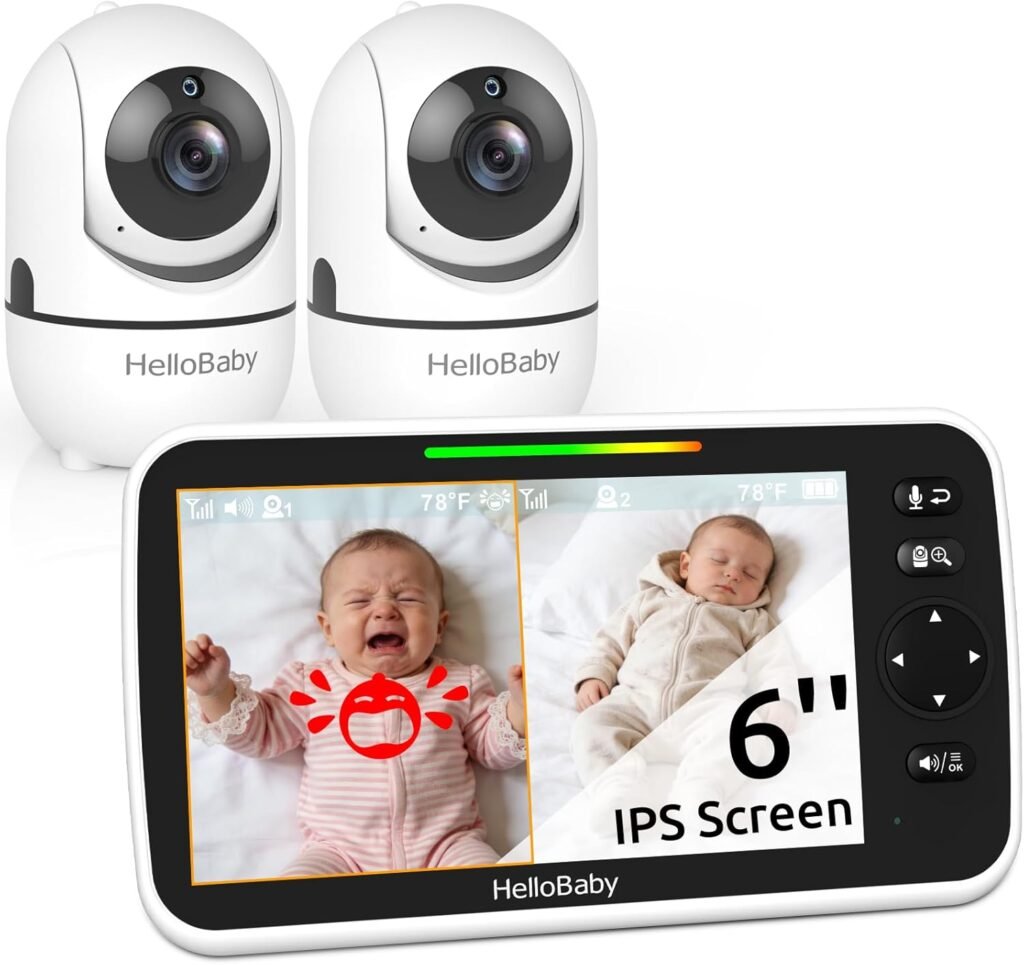
6. HelloBaby HB6550
Best for: Parents who want a simple long-range non-WiFi monitor at a lower price.
HelloBaby monitors are popular because they offer the basics in a way that feels surprisingly reliable. The HB6550 is a non-WiFi model with pan/tilt/zoom, and many parents say it holds signal well across a typical house.
It’s not a luxury monitor, but it’s functional. Night vision works well enough to see your baby clearly. The parent unit is simple, and setup is quick. For parents who are overwhelmed by too many settings, that simplicity is a real feature.
The range tends to be better than expected for the price, making it a strong budget contender for houses, not just apartments.
Potential downsides: Video quality isn’t as crisp as premium models. The screen feels more basic, and battery life can vary depending on use.
Ideal home type: Small-to-medium houses, apartments, and parents who want a straightforward monitor without app features.
Real-life scenario: You’re pacing the hallway with a gassy newborn at midnight. You can still hear the baby clearly if you step into another room to grab a bottle.
Mini conclusion: A practical budget-friendly monitor that covers the basics better than most.
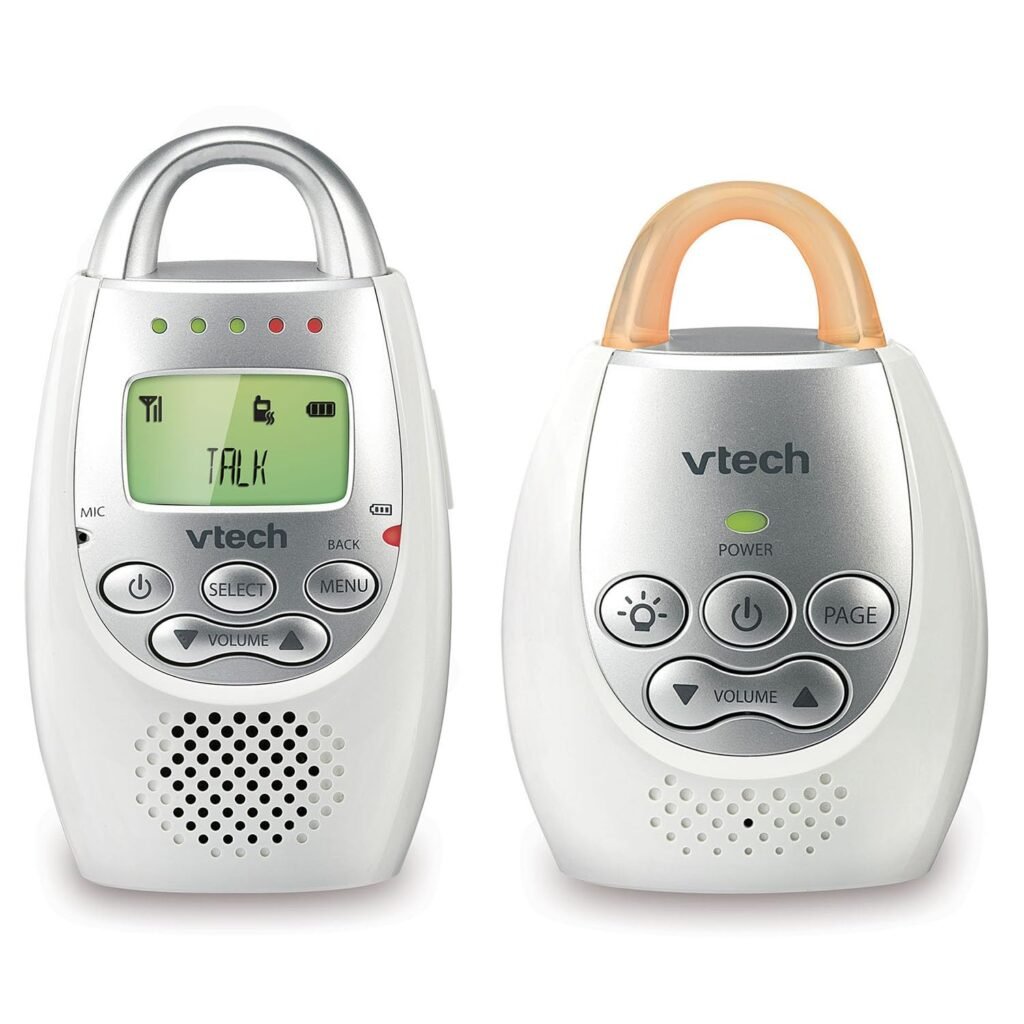
7. VTech DM221 Audio Monitor
Best for: Parents who only want long-range audio monitoring (and nothing else).
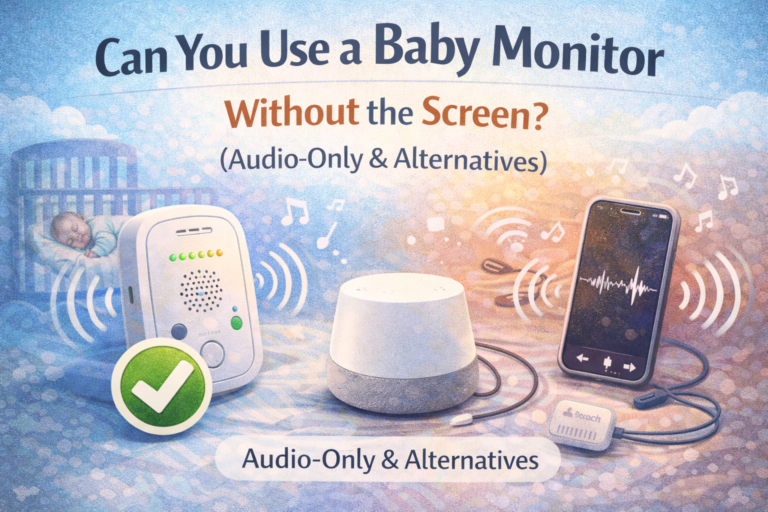
Sometimes the best long-range baby monitor isn’t a camera at all. If you already have a nursery camera, or you’re comfortable with audio-only monitoring, the VTech DM221 is one of the most trusted choices.
Audio-only monitors often have better range reliability because they’re not trying to stream video. This model is known for strong connection across homes, clear sound, and minimal lag. It also has vibration alerts, which some parents love if they’re doing loud chores or sleeping lightly.
It’s also great as a backup monitor, especially for travel or grandparents’ houses.
Potential downsides: No video, no app, no fancy features. If you’re an anxious first-time parent, audio-only may not feel reassuring enough.
Ideal home type: Any home, but especially houses where video isn’t necessary.
Real-life scenario: Your baby is sleeping and you’re outside grilling. You don’t need to see the crib—you just need to hear the second the baby cries.
Mini conclusion: One of the best long-range audio monitors for parents who want reliability over screens.
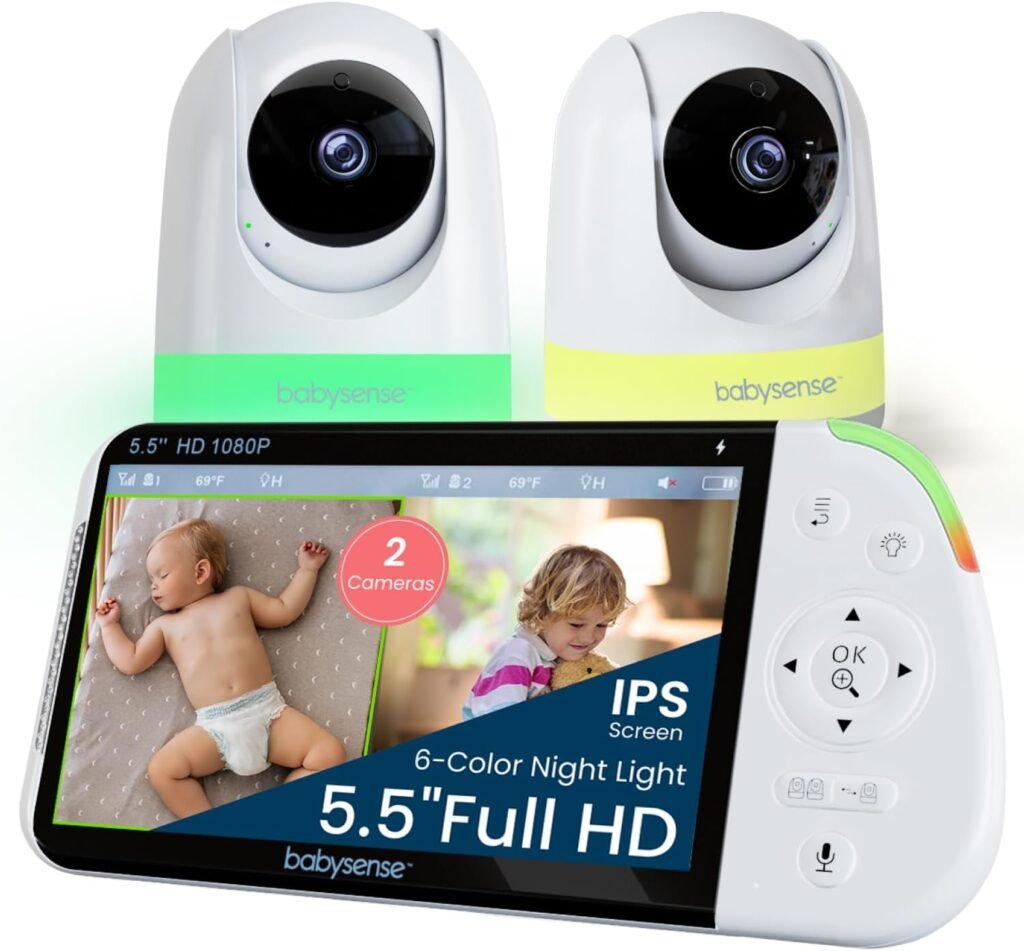
8. Babysense MaxView Split-Screen Monitor
Best for: Parents with two kids or parents who want split-screen monitoring.
Babysense monitors have gained attention for offering a lot of practical features at a mid-range price. This model is especially appealing if you want split-screen support for multiple cameras, which becomes important fast when you have a baby and toddler in separate rooms.
The range is generally solid in non-WiFi mode, and the screen is large enough to feel usable at night without squinting. Parents like the crisp audio and the ability to switch between cameras smoothly.
For long-range needs, having a strong parent unit matters. Babysense tends to perform well in houses where WiFi may not reach the nursery reliably.
Potential downsides: The interface isn’t as polished as premium brands. Video quality is good but not top-tier.
Ideal home type: Multi-bedroom houses and families planning for a second child.
Real-life scenario: One child is asleep upstairs, the other is watching a movie in their room. You can keep an eye on both without constantly toggling settings.
Mini conclusion: A smart choice for families who want multi-camera coverage without paying premium prices.
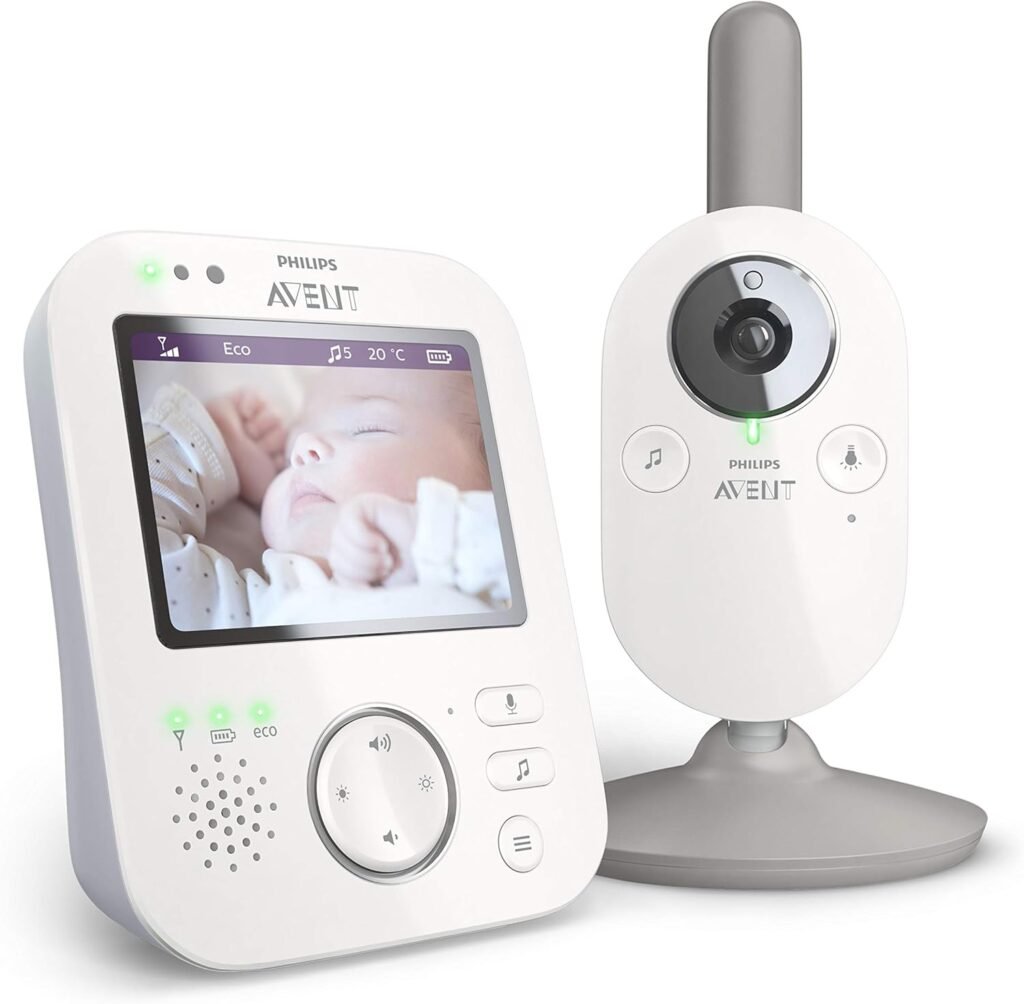
9. Philips Avent Premium Connected Baby Monitor
Best for: Parents who want a trusted brand and strong audio reliability.
Philips Avent has been in baby gear for decades, and their monitors often feel designed around real parent behavior: quick listening, minimal fuss, and stable performance. Their connected models blend parent unit monitoring with app support, depending on the version.
What stands out is audio clarity. Parents often mention that Avent monitors pick up subtle sounds well, without the annoying static or delay found in cheaper systems. Range is also dependable in many home setups, especially if you’re using it as a traditional monitor rather than relying entirely on WiFi.
This is a monitor that tends to appeal to parents who want something safe, familiar, and not overly “techy.”
Potential downsides: Price can be higher than expected for the features. App functionality varies depending on the model generation.
Ideal home type: Houses and apartments, especially where audio clarity is a top priority.
Real-life scenario: You’re lying in bed, half asleep, and you hear the tiny shift that means your baby is about to wake. You get there before the full cry begins.
Mini conclusion: A dependable option for parents who value sound quality and brand trust.
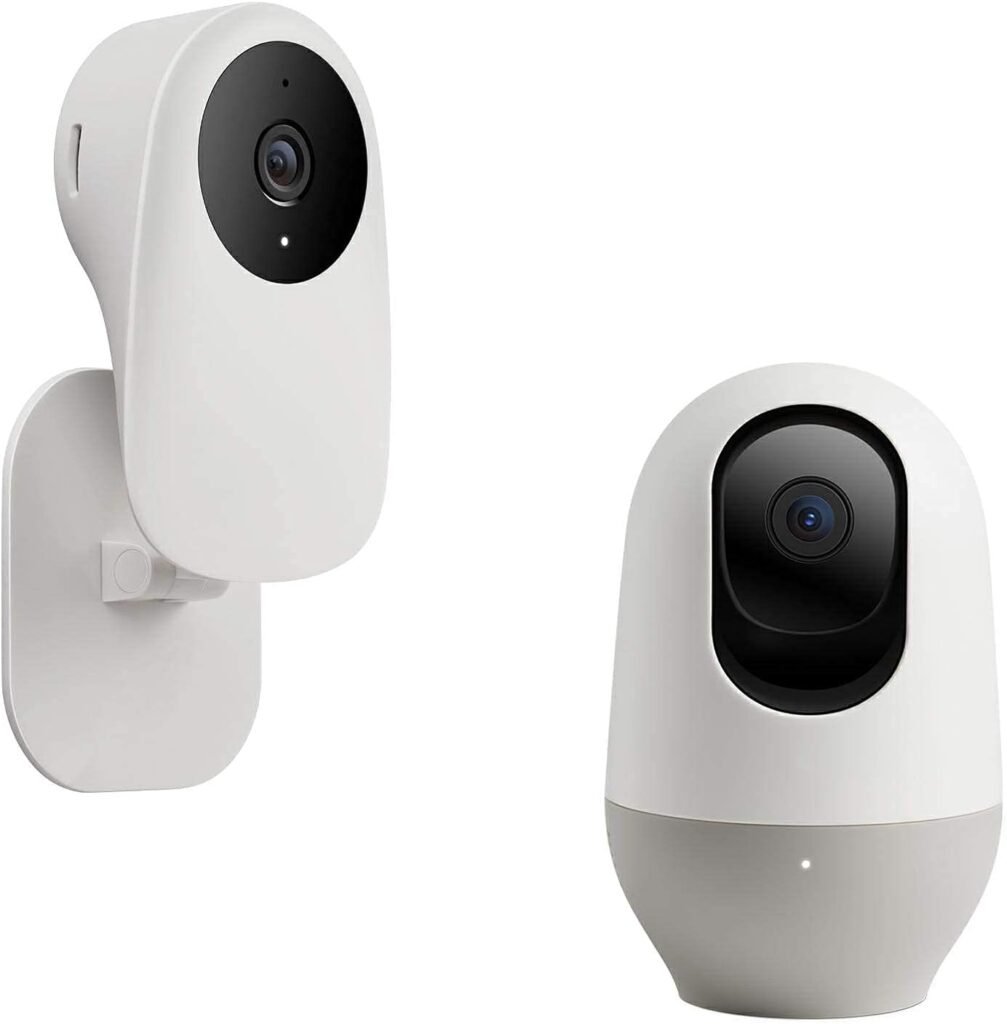
10. Arenti / Nooie WiFi Baby Monitor (Budget WiFi Pick)
Best for: Parents who want a low-cost WiFi monitor for long-range app viewing.
If you’re specifically looking for long range beyond your home (like checking in while you’re outside or away), WiFi monitoring can be the cheapest way to get it. Brands like Arenti and Nooie offer app-based cameras that many parents use as baby monitors.
They often include good HD video, night vision, and motion alerts. For the price, the features can feel impressive. If your home WiFi is strong and your main goal is remote access, these monitors can be surprisingly useful.
That said, budget WiFi monitors are not always designed with baby-specific needs like ultra-low audio delay or smooth nighttime usability. They’re more like indoor security cameras adapted for nursery use.
Potential downsides: Security depends heavily on app quality. Notifications can be inconsistent. Some parents find audio lag frustrating.
Ideal home type: Apartments, smaller homes, or tech-savvy parents who want affordable remote viewing.
Real-life scenario: You put your baby down for a nap and step outside to talk to a neighbor. Instead of carrying a parent unit, you quietly check your phone screen.
Mini conclusion: A workable budget WiFi option, best for parents who prioritize app access over traditional monitoring.
Comparison Table: Best Long Range Baby Monitors
| Model | Type | Range Strength | Battery Life | Best For | Main Downside |
|---|---|---|---|---|---|
| Infant Optics DXR-8 Pro | Non-WiFi | Strong | Good | Multi-floor houses | Screen less modern |
| VTech RM7754HD | Hybrid | Strong | Good | Home + app flexibility | WiFi depends on router |
| Eufy SpaceView Pro | Non-WiFi | Strong | Very good | Privacy-focused parents | Menu system basic |
| Nanit Pro | WiFi | Depends on WiFi | N/A (plug-in) | Premium app + sleep insights | Expensive + subscriptions |
| Motorola PIP1510 | Hybrid | Strong | Good | Big screen + WiFi backup | App not top-tier |
| HelloBaby HB6550 | Non-WiFi | Medium-Strong | Decent | Budget non-WiFi option | Video quality average |
| VTech DM221 | Non-WiFi (Audio) | Very strong | Great | Reliable audio monitoring | No video |
| Babysense MaxView | Non-WiFi | Strong | Good | Split-screen / two kids | Interface not premium |
| Philips Avent Connected | Hybrid/WiFi | Medium-Strong | Good | Audio clarity + trusted brand | Higher price |
| Arenti / Nooie | WiFi | Depends on WiFi | N/A (plug-in) | Budget app monitoring | Potential lag/security concerns |
Buying Guide: How to Choose a Long Range Baby Monitor That Actually Works
Long-range monitors are one of those purchases where parents often feel burned. Not because the monitor is “bad,” but because the expectations don’t match real life.
Here’s what matters most.
WiFi vs Non-WiFi: Convenience vs Control
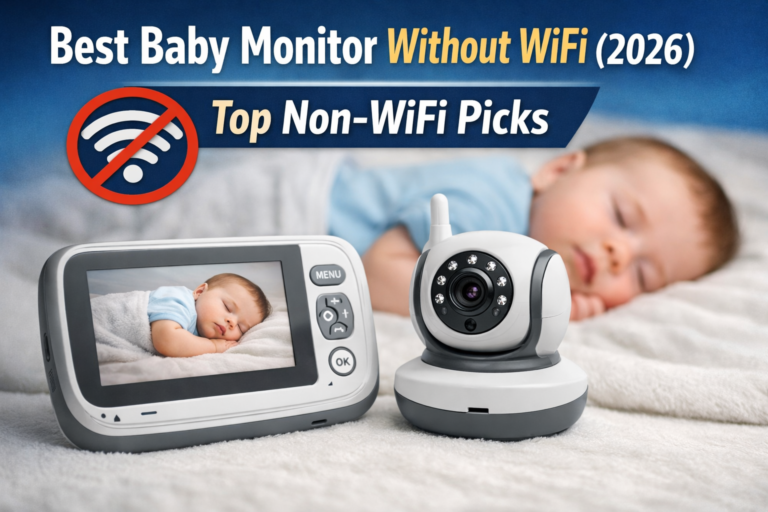
Non-WiFi monitors (FHSS systems) create a direct connection between the camera and the parent unit. They don’t depend on your home internet, and they’re usually more stable inside the house.
They’re also generally more private, because there’s no app account, no cloud storage, and no remote login.
WiFi monitors connect to your router and stream video through an app. That means you can check your baby from anywhere, which is a huge benefit for some families.
But WiFi monitors are only as good as your network. If your router is weak upstairs, the nursery becomes a dead zone. If your internet drops, your feed drops.
If your main priority is range inside a house, non-WiFi often wins. If your priority is remote viewing, WiFi is the only way.
Range Myths: Why “1,000 Feet” Doesn’t Mean Much
Manufacturers often advertise maximum range in open space. That means no walls, no floors, no furniture, no interference.
Real homes are messy. And walls matter more than parents expect:
- Concrete and brick reduce range dramatically
- Metal ductwork can create dead zones
- Bathrooms often block signal because of plumbing and tile
- Multi-floor layouts can cut range in half
If you want true long range, prioritize a monitor with a strong reputation for stable signal, not just big numbers on the box.
What Night Vision Really Means (And Why It Can Still Look Bad)
Most baby monitors use infrared night vision. It’s not “HD night mode” like your iPhone. It’s basically black-and-white imaging with infrared light.
Good night vision should let you see:
- baby’s face position
- chest movement
- whether arms are out of the swaddle
- whether a pacifier fell out
Poor night vision looks grainy, overly bright, or blurry. That’s when parents start obsessively zooming, which doesn’t help sleep anxiety.
Audio Delay: The Hidden Problem Nobody Talks About
Audio delay is one of the most common complaints with WiFi monitors, and even some cheaper video monitors.
If the sound is delayed by 2–5 seconds, it creates a weird parenting experience. You hear crying late. You walk in late. You second-guess yourself.
For anxious parents, delay makes everything feel worse.
Non-WiFi monitors typically have faster audio response because the signal is direct.
EMF / Radiation Concerns (A Calm Explanation)
A lot of parents worry about “radiation” from baby monitors, and it’s understandable. You’re placing an electronic device near your baby, often for 12 hours a night.
Most baby monitors emit radiofrequency (RF) energy, similar to WiFi routers, cordless phones, and Bluetooth devices. The key is distance and usage.
Practical ways to reduce exposure without panic:
- Place the camera at least 3 feet from the crib
- Avoid mounting directly above baby’s head
- Choose non-WiFi monitors if you want lower network activity
- Turn off unused features like constant streaming when not needed
It’s not about fear it’s about reasonable precautions.
[Internal link suggestion: Baby Monitor Radiation: Should Parents Be Concerned?]
When You Actually Need Split-Screen or Two Cameras
Parents often buy single-camera systems, then realize later they need more coverage. A second camera becomes useful if:
- you have a toddler and a baby
- you want crib + play area monitoring
- your nursery is large and you want multiple angles
- your baby moves a lot at night
Split-screen is helpful, but even switching between cameras can work if the system is smooth.
Common Mistakes Parents Make When Buying Long Range Monitors
The biggest mistake is assuming range means “works everywhere.” It doesn’t.
Other common mistakes:
- buying WiFi when your WiFi is weak upstairs
- buying a cheap monitor with poor battery life
- mounting the camera too close (poor viewing angle and unnecessary EMF exposure)
- relying only on motion alerts instead of audio monitoring
- choosing a complicated app system when you really want simplicity
Mini story moment:
One parent sets up a fancy WiFi monitor with every feature turned on. Night one, the baby wakes up crying… but the app doesn’t send the notification until the baby is already fully upset. Now the parent is wide awake, frustrated, and staring at a phone like it’s the problem. Sometimes simpler really is better.
What to Avoid When Shopping for a Long Range Baby Monitor
Some baby monitors look good on paper but become stressful in real life. Here are red flags worth paying attention to.
1. App-only monitors with no parent unit
If your phone dies, your monitoring dies. If your phone is on silent, you may miss sound. App-only setups work for some parents, but many regret not having a dedicated monitor screen.
2. Unclear security settings
If the monitor requires a random third-party app with vague privacy language, be cautious. Your nursery feed shouldn’t feel like a risk.
3. Poor battery performance on the parent unit
If the parent unit only lasts a few hours, it becomes a nightly frustration. You’ll forget to charge it at least once. Everyone does.
4. Overly sensitive motion alerts
Constant alerts can create more anxiety, not less. Babies move. That’s normal.
5. Weak night vision with heavy blur
A monitor that looks fine during the day but becomes unusable at night is not worth it.
6. Laggy audio or delayed video feed
This is especially common in cheaper WiFi models. If parents report frequent lag, believe them.
7. No easy way to add a second camera
Even if you only have one child now, future-proofing matters.
FAQ: Best Baby Monitors for Long Range
What is the best long range baby monitor for a multi-floor house?
For most families, a non-WiFi FHSS monitor like the Infant Optics DXR-8 Pro or Eufy SpaceView Pro is the safest bet. These tend to hold signal better across floors because they don’t rely on your router or internet connection.
Do non-WiFi baby monitors have better range than WiFi monitors?
Inside the home, yes often they do. WiFi monitors can have unlimited range in theory (because you can view from anywhere), but their reliability depends entirely on your WiFi signal strength in the nursery.
How far will a baby monitor work in a backyard?
It depends on walls, windows, and interference. Some parents get full backyard coverage, while others lose signal immediately behind brick walls. If yard range is your priority, choose a model known for strong FHSS performance and test it during your return window.
Why does my baby monitor lose signal even when it claims 1,000 feet?
Because that range is usually measured in open space. Real homes have walls, floors, pipes, and appliances that weaken signals. Even a refrigerator or thick staircase wall can create a dead zone.
Is WiFi or non-WiFi safer for baby monitors?
Non-WiFi monitors are generally considered safer from a privacy perspective because they don’t connect to the internet. WiFi monitors can still be safe if the brand uses strong encryption and you use secure passwords, but they require more vigilance.
Are baby monitors with antennas stronger than ones without?
Sometimes, yes. External antennas can improve reception. But design quality matters more than antenna size. A well-built FHSS monitor without a visible antenna can still outperform a cheap model with one.
Do baby monitors work through concrete walls?
Some do, but range drops dramatically. Concrete is one of the hardest materials for wireless signals. If you live in a concrete building, prioritize a high-quality non-WiFi monitor or strengthen your WiFi with a mesh system if you’re going app-based.
Is audio-only monitoring better for long range?
Audio-only monitors often have excellent range because they transmit less data than video monitors. If you don’t need video, audio-only can be the most reliable and stress-free option for large homes and yards.
Does night vision affect range or battery life?
Night vision itself doesn’t affect range, but it can affect power usage. On some monitors, running night vision constantly drains the parent unit faster, especially if the screen stays on.
Do I need a baby monitor with two cameras?
You only need two cameras if you want coverage for two children, or if your nursery setup makes it hard to see the crib clearly. Some parents also like having one camera for the crib and one for the play area.
What is the best long range baby monitor for travel?
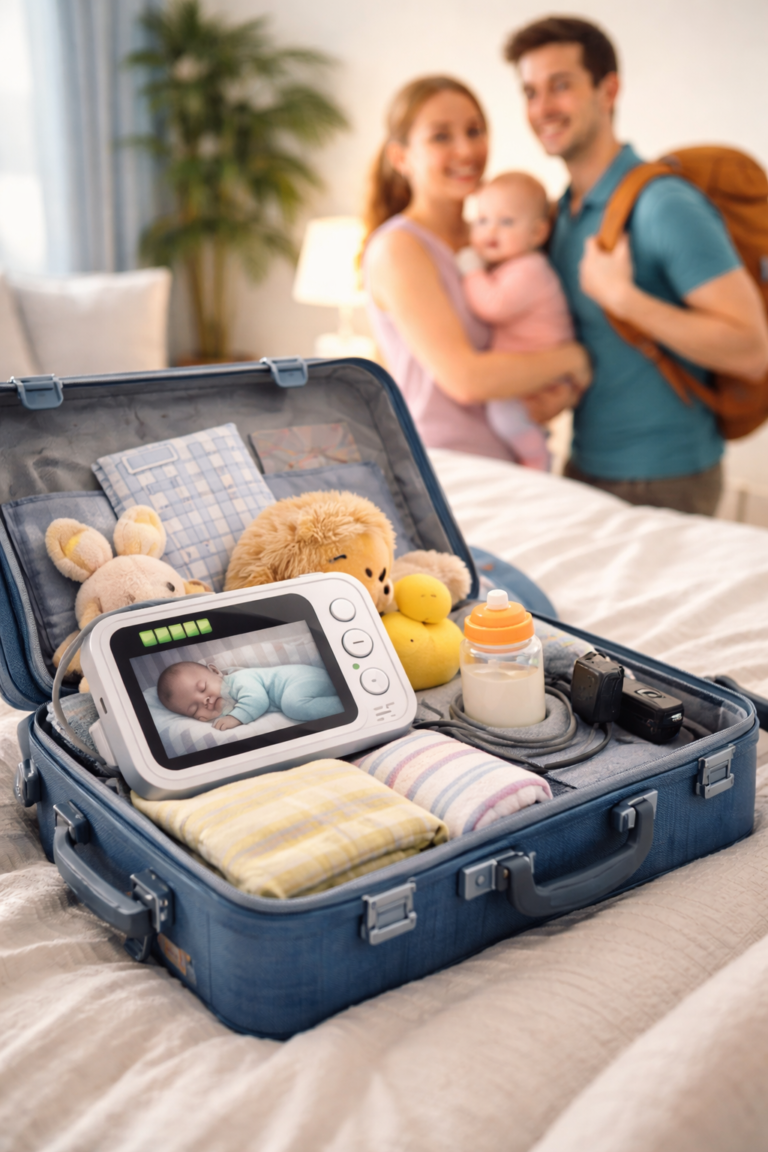
A compact non-WiFi monitor is often easiest for travel because it doesn’t require WiFi setup. WiFi monitors can work well in hotels, but they can be frustrating if the network blocks streaming or requires login portals.
Can baby monitors interfere with WiFi or other devices?
Yes. Baby monitors can sometimes interfere with WiFi routers, Bluetooth speakers, cordless phones, or even other baby monitors nearby. If you experience interference, changing channels or moving the camera away from routers can help.
Final Verdict: The Best Baby Monitors for Long Range (Houses & Yards)
If you’re shopping for long range, the most important thing to understand is this: the best monitor isn’t the one with the biggest number on the box. It’s the one that stays reliable when your house gets in the way.
For most families, especially those living in multi-floor homes, a strong non-WiFi monitor is still the best answer. Models like the Infant Optics DXR-8 Pro and Eufy SpaceView Pro are popular because they reduce the mental load. No buffering. No reconnecting. No checking your phone battery every hour.
If you want flexibility and remote access, hybrid monitors like the VTech RM7754HD or Motorola PIP1510 give you a parent unit for everyday life, with app support when you need it.
For parents who want the most advanced app features and premium video, Nanit Pro is a standout assuming your WiFi is strong enough to support it.
Best picks by lifestyle:
For small apartment parents:
A simple monitor like HelloBaby or even an audio-only VTech can be enough. In smaller spaces, reliability matters more than range.
For multi-floor house parents:
Go non-WiFi or hybrid. Infant Optics and Eufy are hard to beat for consistent signal across floors.
For travel use:
Non-WiFi monitors are often easiest. They don’t depend on hotel WiFi and don’t require setup every time you change locations.
For anxious first-time parents:
Choose a monitor with low lag, clear night vision, and stable connection. You want reassurance, not extra alerts and tech frustration.
One last thought: the best baby monitor won’t make you worry less by adding more features. It helps you worry less by being boringly reliable. That’s what you want at 2 a.m.
Always follow safe sleep guidelines, place cords out of reach, and position cameras securely away from the crib and baby’s sleep space.