
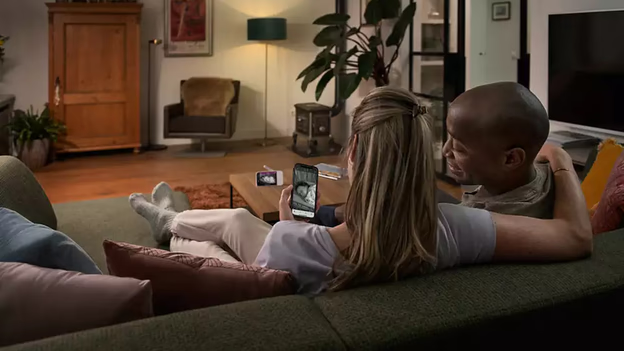
How Far Do Baby Monitors Reach? Range Explained for Parents
Baby Monitor Range: How Far Do Monitors Really Reach?
A baby monitor advertised with a 1,000-foot range sounds impressive. But will it actually work from your bedroom, downstairs office, or backyard?
The answer depends on much more than the number printed on the box.
Baby monitor range is one of the most misunderstood specifications when choosing a monitor. Manufacturers frequently advertise maximum outdoor distances measured under favorable conditions, while parents use their devices inside homes filled with walls, floors, furniture, and wireless electronics.
A monitor capable of transmitting across a large open space may struggle through reinforced concrete or multiple interior walls.
At SafeBaby Lab, we believe understanding real-world range limitations is more useful than simply choosing the monitor with the highest advertised distance.
In this guide, we’ll explain how baby monitor range works, what affects signal strength, how WiFi and non-WiFi monitors compare, and how to choose reliable coverage for your home.
How Far Does a Baby Monitor Reach?
The range of a baby monitor depends on its wireless technology, antenna design, building materials, and surrounding interference.
Some dedicated baby monitors advertise outdoor ranges of approximately 1,000 feet (300 meters). However, published indoor specifications for certain models are closer to 160 feet (50 meters).
These figures are not contradictory. They describe different operating environments.
Advertised Range vs. Indoor Range
| Range specification | What it means |
|---|---|
| Maximum outdoor range | Best-case distance under relatively unobstructed conditions |
| Indoor range | Manufacturer-estimated coverage inside a building |
| Actual household range | Coverage achieved in your specific home |
| Connection stability | How reliably the monitor maintains audio and video transmission |
The key takeaway: Maximum advertised range should never be treated as a guarantee of reliable coverage inside your home.
A monitor with a lower advertised outdoor range could perform better in your particular environment than a model with a larger headline number.
Why Baby Monitor Range Is Shorter Indoors
Wireless signals weaken as they travel through obstacles.
Inside a typical home, the signal may encounter drywall, brick, reinforced concrete, electrical wiring, metal appliances, and furniture.
The impact varies depending on the materials and wireless technology.
1. Walls and Building Materials
Different building materials affect wireless signals differently.
Lightweight wooden partitions generally cause less obstruction than reinforced concrete or large metal structures.
Philips Avent documentation for certain DECT baby monitors provides illustrative signal-reduction estimates for common materials.
| Building material | Illustrative signal-range reduction |
|---|---|
| Wood, plaster, ordinary glass | 0–10% |
| Brick and plywood | 5–35% |
| Reinforced concrete | 30–100% |
| Metal grilles or bars | 90–100% |
| Metal or aluminum sheets | Up to 100% |
These are manufacturer-provided examples for specific equipment and material conditions. They are not universal performance measurements for every baby monitor.
This helps explain why two homes of similar size may experience completely different wireless coverage.
A monitor might maintain a stable connection across several rooms in a lightweight house but lose reception through a single reinforced-concrete floor.
2. Multiple Floors
Can a baby monitor work between floors?
Often, yes.
However, the construction of the floor matters more than the number of stories alone.
Wooden floors may allow signals to pass more easily than reinforced concrete. Metal reinforcement, plumbing, and other structural elements can also influence reception.
For example, a nursery upstairs and a living room directly below may be separated by only a short physical distance. Yet the floor between them could create a significant wireless obstacle.
If you live in a multi-story home, look for a monitor with clear connection-loss warnings and test reception in the rooms where you plan to use the receiver.
3. Wireless Interference
Baby monitors share the radio environment with many other electronic devices.
Depending on the technology, interference may come from:
- WiFi routers
- Bluetooth devices
- Cordless phones
- Microwave ovens
- Wireless cameras
- Other baby monitors
Not every device will interfere with every monitor. Frequency, channel selection, distance, and equipment design all matter.
Moving the parent unit away from other electronics can sometimes improve reception.
4. Monitor Placement
Even a small change in placement may affect wireless performance.
A parent unit placed inside a cabinet or behind a metal appliance may receive a weaker signal than one positioned in an open area.
The camera’s location can also influence reception.
However, wireless performance should never take priority over safe installation. Keep cameras and power cords out of your baby’s reach and follow the manufacturer’s mounting instructions.
Baby Monitor Range Through Walls: What Should You Expect?
There is no universal answer to how many walls a baby monitor can penetrate.
Two lightweight interior walls may create less signal loss than one thick reinforced-concrete wall.
The wireless frequency, antenna design, wall thickness, and surrounding interference all influence the result.
Common Home Scenarios
| Home layout | Main range considerations |
|---|---|
| Small apartment | Concrete walls and neighboring wireless networks |
| Single-story house | Distance and number of interior walls |
| Two-story house | Floor construction and vertical signal path |
| Large detached house | Longer distances and multiple obstacles |
| Home with backyard | Exterior walls, doors, and outdoor distance |
| Basement nursery or office | Reinforced floors and underground construction |
These scenarios illustrate potential challenges rather than guaranteed performance.
Can Baby Monitors Work Through Concrete?
Yes, some can, but concrete can significantly reduce wireless range.
Reinforced concrete is particularly challenging because embedded metal can affect radio transmission.
If your home has thick concrete walls or floors, do not rely exclusively on outdoor range claims.
Check the manufacturer’s indoor specifications and choose a retailer with a suitable return policy.
WiFi vs. Non-WiFi Baby Monitor Range
One of the most important decisions when choosing a baby monitor is whether to use a dedicated non-WiFi system or a WiFi-connected model.
Both technologies have advantages, but they handle wireless coverage differently.
Non-WiFi Baby Monitors
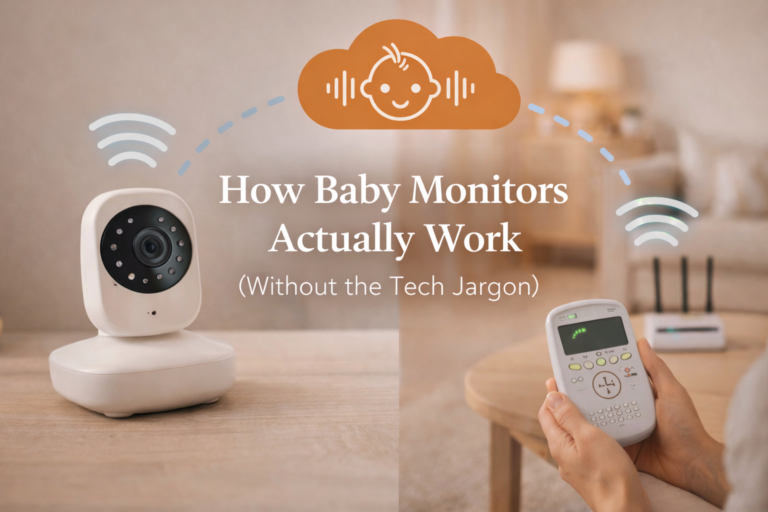
Most dedicated non-WiFi video monitors establish a direct wireless connection between the camera and a portable parent unit.
This means local monitoring typically works without an internet connection.
The main limitation is that the parent unit must remain within the system’s effective wireless range.
Walls, floors, and interference can weaken that direct connection.
For parents who want a straightforward system without smartphone apps or cloud access, a non-WiFi monitor can be an excellent option.
Looking for a reliable model? Explore our Best Baby Monitor Without WiFi guide, where we compare popular options based on published specifications, practical features, and suitability for different households.
WiFi Baby Monitors
WiFi baby monitors connect through a compatible home wireless network.
Some models allow parents to view the camera remotely through a smartphone app, provided the necessary internet connection and services are available.
However, remote access does not mean unlimited wireless coverage.
The camera still needs a reliable connection to the home network.
If WiFi coverage is weak in the nursery, the monitor may disconnect or experience streaming problems even when your smartphone has a strong internet connection elsewhere.
WiFi vs. Non-WiFi Comparison
| Feature | Non-WiFi monitor | WiFi monitor |
|---|---|---|
| Typical connection | Direct to parent unit | Through home WiFi |
| Internet required | Usually no | Depends on features and model |
| Smartphone remote viewing | Generally unavailable | Available on supported models |
| Main range limitation | Direct wireless coverage | Local WiFi coverage and connectivity |
| Router dependence | Usually none | Generally yes |
| Connection-loss warnings | Model-dependent | Model-dependent |
Neither option is automatically better for every household.
The right choice depends on whether you prioritize a dedicated local connection, smartphone access, or compatibility with your home’s existing network.
Does DECT Offer Better Baby Monitor Range?
DECT stands for Digital Enhanced Cordless Telecommunications.
It is a wireless communication technology commonly associated with cordless phones and certain audio baby monitors.
DECT systems typically use dedicated frequency bands that differ from common household WiFi frequencies, although exact bands vary by region.
This can help avoid some types of interference from WiFi equipment.
However, DECT does not automatically provide a longer range than every other technology.
Actual performance depends on the equipment and environment.
For example, certain Philips Avent DECT monitors specify indoor coverage of up to approximately 50 meters.
DECT can be attractive for parents who want dedicated audio monitoring without relying on their home WiFi network.
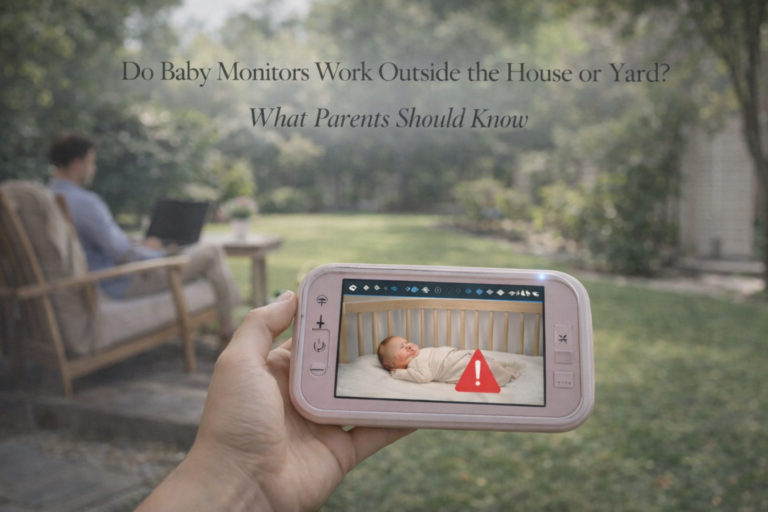
Can You Use a Baby Monitor in the Backyard?
Many parents want to know whether they can use a baby monitor while sitting on the patio or spending time in the garden.
In some homes, this works well.
In others, exterior walls, metal doors, and building materials significantly reduce reception.
The advertised outdoor range is not enough to predict the result because the camera is usually located indoors.
The signal may need to pass through exterior walls before reaching the receiver outside.
How to Check Backyard Coverage
Before relying on a monitor outdoors:
- Install the camera safely in its intended location.
- Confirm a stable connection inside the home.
- Carry the parent unit to your patio or garden.
- Check audio and video quality.
- Confirm that connection-loss warnings are working.
- Repeat the check with doors closed and household electronics operating normally.
Do not assume that a successful connection on one occasion guarantees uninterrupted performance.
Baby monitors are monitoring aids, not substitutes for appropriate adult supervision.
How to Test Baby Monitor Range at Home
You don’t need professional testing equipment to evaluate whether a monitor works in the locations that matter to your family.
A simple household coverage check can help identify weak spots.
Step 1: Position the Camera Safely
Install the baby unit according to the manufacturer’s instructions.
The U.S. Consumer Product Safety Commission recommends keeping baby monitor cords at least three feet (approximately 91 cm) away from cribs and other infant sleep spaces.
Step 2: Establish a Stable Connection
Turn on the camera and parent unit.
Verify that audio and video are functioning normally.
Step 3: Walk Through Your Home
Carry the parent unit to the places where you expect to use it.
Check the kitchen, living room, bedroom, office, and other relevant areas.
Step 4: Observe Connection Stability
Look for frozen video, interrupted audio, connection warnings, or other signs of unreliable communication.
If your monitor provides a signal-strength indicator, pay attention to changes between locations.
Step 5: Check Connection-Loss Alerts
Follow the manufacturer’s instructions to verify how the monitor responds when the connection is interrupted.
Some monitors provide audible alerts, while others may rely on visual indicators or notifications.
Step 6: Repeat Under Normal Conditions
Wireless performance can change depending on nearby electronics, doors, and other environmental factors.
Testing during normal household use provides a more useful picture than checking the monitor only once.
Important: This is a recommended household evaluation procedure. SafeBaby Lab has not independently performed these tests on the specific products mentioned in this guide.
How to Improve Baby Monitor Range
If your baby monitor frequently disconnects, there are several steps worth trying before replacing it.
Move the Parent Unit
Place the receiver in a more open location.
Avoid large metal appliances, enclosed cabinets, and other substantial obstructions.
Reduce Wireless Interference
Keep the monitor away from nearby electronic devices that its manufacturer identifies as potential interference sources.
Check Camera Placement
Ensure that the camera is installed safely and positioned according to the manufacturer’s recommendations.
Never move a monitor or its power cable closer to the crib to improve signal strength.
Improve WiFi Coverage
For WiFi monitors, check whether the nursery receives a stable wireless signal.
Depending on the product, adjusting router placement or using a compatible mesh network may improve coverage.
Avoid Unsupported Range Extenders
A standard WiFi extender will not necessarily work with a dedicated non-WiFi baby monitor.
Many direct-connection monitors use proprietary wireless systems.
Only use range-extension accessories explicitly supported by the manufacturer.
How Much Baby Monitor Range Do You Really Need?
The ideal range depends on your home’s layout and how you plan to use the monitor.
A small apartment may not require a monitor with an exceptionally high advertised outdoor range.
Instead, reliable communication through interior walls may be the more important factor.
In a larger home, coverage across multiple floors and the ability to detect lost connections may matter more.
For parents who frequently move between rooms or spend time in the garden, a portable parent unit with dependable battery life can also be important.
What to Look for Before Buying
Consider these questions:
- Does the manufacturer publish an indoor range specification?
- Does the monitor provide a connection-loss alert?
- Can the receiver work reliably between floors?
- Does the parent unit have sufficient battery life?
- Is the system compatible with your home’s wireless environment?
- Can you return the monitor if coverage is inadequate?
- Do you need smartphone access or a dedicated local connection?
Our Recommendation for Non-WiFi Buyers
If you’re looking for a dedicated baby monitor that works without relying on your home internet connection, range should be evaluated alongside battery life, video quality, night vision, connection alerts, and ease of use.
A monitor with impressive advertised range but unreliable alerts may be a poor fit for your household.
We’ve put together a detailed buying guide comparing popular models, key features, and important trade-offs.
See Our Best Baby Monitors Without WiFi: Complete Buying Guide
Frequently Asked Questions
How far can a baby monitor reach indoors?
Some dedicated baby monitors advertise indoor coverage of approximately 160 feet (50 meters). Actual range varies depending on the model, walls, floors, and interference.
Can a baby monitor reach 1,000 feet?
Certain models advertise outdoor ranges of approximately 1,000 feet under favorable conditions. This does not mean they will reliably reach that distance through walls or between floors.
Will a baby monitor work through two walls?
It may. The result depends on wall construction, wireless technology, distance, and surrounding interference.
Can a baby monitor work between floors?
Yes, many monitors can operate between floors. However, reinforced concrete and metal structures may significantly reduce reception.
Do WiFi baby monitors have unlimited range?
No. Supported remote viewing may work over the internet from distant locations, but the camera must still maintain a stable connection to the home network and any required services.
Are non-WiFi baby monitors better for large houses?
Not necessarily. Some dedicated monitors offer excellent coverage, but the actual performance depends on the specific model and building layout.
Can I extend the range of a non-WiFi baby monitor?
Generally, standard WiFi extenders cannot extend a proprietary direct wireless connection. Check the manufacturer’s documentation for compatible solutions.
What should I do if my baby monitor keeps losing signal?
Check the distance between units, nearby obstacles, electronic interference, and device placement. If problems continue, consult the manufacturer’s troubleshooting instructions.
Final Thoughts
Baby monitor range is about more than the maximum distance advertised on a product box.
Walls, reinforced concrete, floors, electronic interference, and equipment placement can all affect how reliably a monitor works in your home.
For most families, dependable indoor coverage and clear connection-loss warnings matter more than an impressive outdoor range claim.
Before purchasing, compare published specifications, consider your home’s construction, and choose a monitor that you can evaluate in the locations where you actually need it.
And if you prefer a dedicated monitoring system without relying on WiFi, start with our Best Baby Monitor Without WiFi comparison to explore suitable options.
A reliable baby monitor isn’t necessarily the one with the longest advertised range. It’s the one that maintains a dependable connection where your family needs it.
Sources and References
- Philips Avent — Baby Monitor Product Information
- VTech — Baby Monitor Support
- Babysense — Official Support Center
- U.S. Consumer Product Safety Commission — Baby Monitor Safety
Editorial note: SafeBaby Lab prepares research-based guides using manufacturer documentation, technical specifications, and established safety guidance. Unless explicitly stated otherwise, products discussed in this article have not been independently hands-on tested by SafeBaby Lab.

One Comment